Blog

  • Frontend View For Headless CMS v2.0 Release: Your WordPress Admin, Wired to Your Headless Frontend

    Frontend View For Headless CMS v2.0 Release: Your WordPress Admin, Wired to Your Headless Frontend

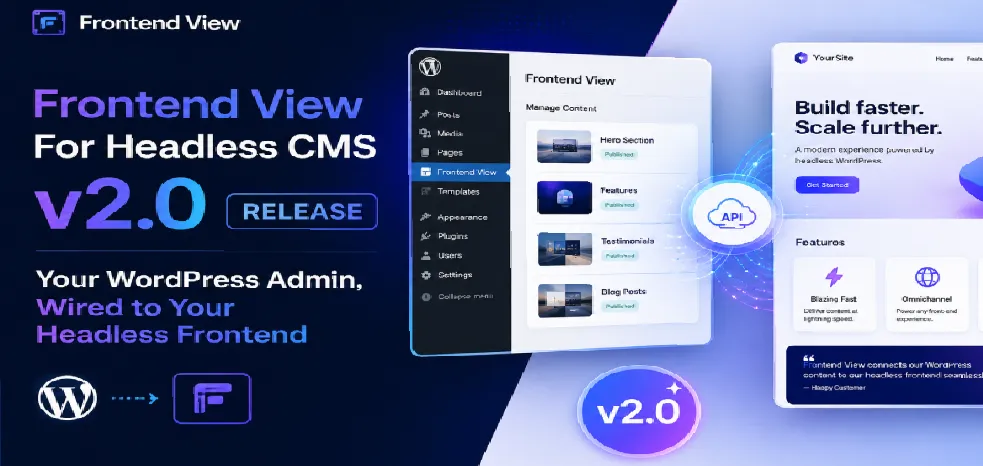
    Today we’re shipping version 2.0 of Frontend View For Headless CMS—a major release built around one idea: make wp-admin feel like it’s connected to your frontend, without hijacking your public WordPress URLs.

    If you run WordPress as the content backend for a headless site, Next.js, Nuxt, Gatsby, Astro, or anything else—you already know the friction: editors live in wp-admin, but the real site lives somewhere else. Clicking View on a post still points at your WordPress URL. Preview links don’t match your frontend routes. Custom post types and taxonomies rarely line up one-to-one with how your app is structured. Frontend View For Headless CMS v2.0 is your answer.

    What changed in 2.0 (and why it matters)

    In earlier versions, the plugin redirected visitors from WordPress front-end URLs to your headless site. That worked for some setups, but it could surprise teams who still needed WordPress URLs for APIs, legacy paths, or mixed architectures.

    2.0 takes a cleaner approach: it rewrites links inside wp-admin so editors always land on the right frontend URL, without forcing 301 redirects on your public WordPress site.

    That means:

    • View on posts, pages, and custom post types opens your frontend.
    • View on taxonomies, categories, and users does the same.
    • The admin bar Visit Site and site title link go to your configured frontend home.
    • Links open in a new tab, so editors keep their WordPress session open while checking the live site.

    If you’ve been waiting for a headless workflow that respects both WordPress and your frontend, this is the release we built for you.

    Redesigned settings experience

    The Frontend View Settings page has been rebuilt from the ground up: clearer layout, inline help, a quick-start guide, and links to support and reviews. You’ll also find a Settings shortcut right on the Plugins screen—no more hunting through menus.

    Slug mapping that matches your routes

    Your Next.js app probably doesn’t use WordPress’s default rewrite slugs. 2.0 lets you align paths without touching code:

    • Author slug — map WordPress author archives to your frontend segment (e.g. author → team).
    • Per-taxonomy overrides — rename category/tag bases to match your router.
    • Per–post-type overrides — do the same for custom post types.
    • Empty slug — strip a taxonomy or CPT base entirely so /products/my-item/ becomes /my-item/ when your frontend uses flat routes.

    Flexible preview paths

    Draft and preview links can use a custom path segment (default /preview/, or whatever your app expects, e.g. /draft/post-slug/). Toggle it on only when you need it.

    Safer editing workflow

    Every rewritten frontend link in admin gets target=”_blank” and rel=”noopener noreferrer”. Check the live page, then jump straight back to the editor.

    Bug fix: redirection issues resolved

    We addressed redirection problems reported in earlier releases as part of this architectural shift—admin link rewriting is now the primary, predictable behavior.

    Who is this for?

    Frontend View For Headless CMS is for teams who:

    • Use WordPress for content and a JavaScript framework (or static site) for the public site.
    • Pull data via REST API, GraphQL, or a custom layer.
    • Want editors to preview and verify content on the real frontend from familiar WordPress list and edit screens.

    It does not replace your frontend, your routing, or your build pipeline. It connects the dots between WordPress admin and the URLs you’ve already built on the other side.

    Works with WordPress 5.0+, tested up to 6.9, and requires PHP 7.2+. Multisite is supported—configure the frontend URL per site as needed.

    Get started in under a minute

    1. Install or update from the WordPress Plugin Directory.
    2. Go to Frontend View Settings (or Plugins → Settings on the plugin row).
    3. Enter your frontend URL—e.g. https://www.yoursite.com (no trailing slash).
    4. Optionally map slugs, enable custom preview paths, and set Empty slug where your routes need it.
    5. Open any post list, click View, and confirm it opens your headless site in a new tab.

    That’s it. No theme changes. No frontend deploy required for basic setup.

    Upgrading from 1.x?

    Version 2.0 is a major update. After upgrading:

    1. Re-check your frontend URL in settings—it’s still the foundation of every rewritten link.
    2. Review slug mapping if your frontend uses custom paths for CPTs, taxonomies, or authors.
    3. Note the behavior change: public WordPress URLs are no longer redirected to your frontend by default; link rewriting happens in wp-admin instead. If you relied on front-end redirects, plan your routing accordingly (or reach out—we’re happy to help).

    Most sites will feel an immediate improvement: editors click View and see the site they actually ship.

    Part of the headless toolkit

    2.0 sits alongside other Dropndot plugins built for decoupled WordPress:

    Together, they help you ship headless sites without sacrificing the WordPress editorial experience.

    Try 2.0 today

    Frontend View For Headless CMS 2.0 is available now on WordPress.org.

    If it saves your team a few confused clicks a day, we’d love to hear about it—leave a review on the plugin page or drop us a line at [email protected] headless building,
    The Dropndot Solutions team
  • Why Headless CMS is the Future of Scalable Web Development

    Why Headless CMS is the Future of Scalable Web Development

    Introduction

    The digital ecosystem is no longer limited to websites. Today, businesses must deliver content across websites, mobile apps, smart devices, kiosks, and even IoT platforms. Customers expect lightning-fast performance, seamless user experiences, and consistent content everywhere. Traditional CMS platforms were not designed for this level of complexity.

    As businesses grow and digital transformation accelerates, the demand for scalable web development has become critical. This is where Headless CMS emerges as a revolutionary solution.

    Headless CMS is not just a new buzzword in web development; it is a structural evolution that separates content management from content presentation, allowing businesses to scale efficiently, innovate faster, and future-proof their technology stack.

    Understanding the Limitations of Traditional CMS

    Platforms like WordPress have powered millions of websites worldwide. Traditional CMS platforms combine:

    • Backend (content management)
    • Database
    • Frontend (themes & templates)

    While this integrated approach is beginner-friendly, it creates limitations when businesses require:

    • Advanced customization
    • Omnichannel content delivery
    • High performance at scale
    • Complex frontend experiences

    In a traditional CMS setup:

    • Frontend and backend are tightly coupled.
    • Scaling one layer often affects the other.
    • Performance optimization is restricted.
    • Security vulnerabilities increase due to theme and plugin dependencies.

    As businesses expand globally and traffic increases, this monolithic architecture becomes a bottleneck.

    What is a Headless CMS?

    A Headless CMS is a content management system where the frontend is separated from the backend.

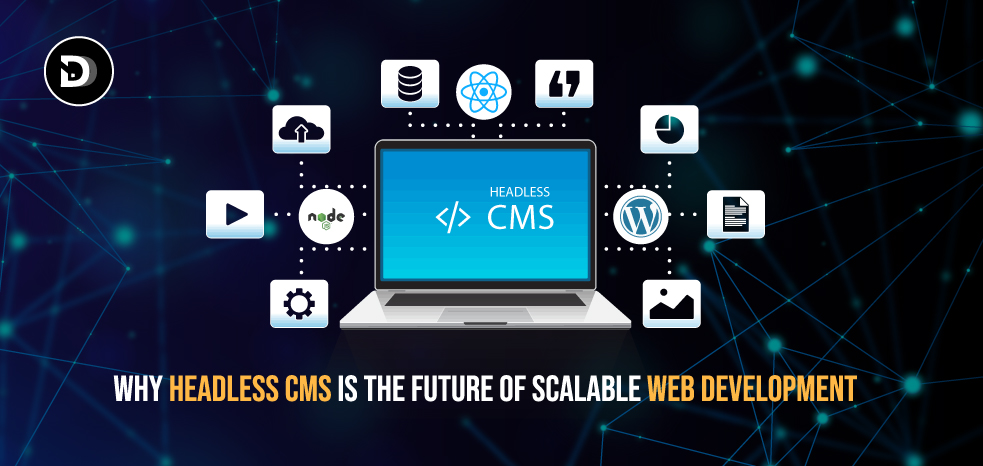
    Instead of rendering content directly, a Headless CMS delivers content via APIs (REST or GraphQL). Developers can then use any frontend framework to display the content.

    In simple terms:

    Traditional CMS = Backend + Frontend together
    Headless CMS = Backend only (content via API)

    This decoupled architecture enables greater flexibility, scalability, and performance.

    The Core Architecture of Headless CMS

    The Core Architecture of Headless CMS

    Headless CMS operates on three main components:

    1️. Content Repository (Backend)

    Stores structured content like:

    • Blog posts
    • Product information
    • Media files
    • User data

    2️. API Layer

    Delivers content through:

    3️. Frontend Layer

    Built using modern frameworks like:

    Because the frontend is independent, developers can optimize performance, improve UX, and deploy faster updates.

    Why Headless CMS is the Future of Scalable Web Development

    Now let’s explore the deeper reasons.

    1. True Scalability at Enterprise Level

    Scalability means handling increasing traffic and complexity without performance degradation.

    In Headless architecture:

    • Frontend can scale independently using CDN and edge networks.
    • Backend can scale separately using cloud infrastructure.
    • Microservices architecture can be implemented easily.

    This is especially critical for:

    • E-commerce platforms
    • SaaS applications
    • Enterprise dashboards
    • High-traffic publishing sites

    When traffic spikes, frontend servers can auto-scale without affecting content management.

    2. Omnichannel Content Delivery

    Modern consumers use multiple devices:

    • Desktop websites
    • Mobile apps
    • Smart TVs
    • Wearables
    • Voice assistants

    Headless CMS delivers content via APIs, allowing the same content to appear everywhere without duplication.

    This makes content management centralized but distribution limitless.

    3. Superior Performance & SEO Advantage

    Performance directly impacts:

    • User experience
    • Conversion rates
    • SEO rankings

    With frameworks like Next.js and React:

    • Static Site Generation (SSG)
    • Server-Side Rendering (SSR)
    • Incremental Static Regeneration (ISR)

    can be implemented.

    This leads to:

    • Faster load times
    • Better Core Web Vitals
    • Lower bounce rates
    • Higher search rankings

    Google prioritizes performance, and Headless architecture provides the technical foundation for it.

    4. Enhanced Security

    Traditional CMS platforms expose the frontend and backend together.

    In Headless architecture:

    • Backend is not publicly exposed.
    • APIs are secured with authentication.
    • Reduced plugin dependency.
    • Lower vulnerability risks.

    For enterprises handling sensitive data, this is a major advantage.

    5. Developer Freedom & Innovation

    Developers are no longer restricted by CMS themes.

    They can choose:

    • Any frontend technology
    • Any hosting provider
    • Any deployment pipeline
    • Any cloud provider

    This freedom accelerates innovation and shortens development cycles.

    6. Future-Proof Technology Stack

    Technology changes rapidly.

    With traditional CMS, redesigning the frontend often requires restructuring the backend.

    In Headless:

    • Frontend can be rebuilt anytime.
    • Backend remains stable.
    • New technologies can be integrated easily.

    This protects long-term investment.

    Headless WordPress: A Smart Migration Strategy

    Headless WordPress A Smart Migration Strategy

    Businesses that love WordPress don’t need to abandon it.

    They can use WordPress as a Headless CMS:

    • WordPress manages content.
    • APIs deliver data.
    • Frontend is built with React or Next.js.

    This approach offers:

    • Editorial simplicity
    • Developer flexibility
    • Performance optimization

    It is one of the most practical ways to modernize existing websites.

    Challenges of Headless CMS

    No technology is perfect.

    Common challenges include:

    • Higher initial setup cost
    • Need for skilled developers
    • API complexity
    • DevOps requirements

    However, these challenges are manageable with an experienced development partner.

    Why 2026 and Beyond Belongs to Headless Architecture

    The future demands:

    • API-first systems
    • Cloud-native deployment
    • Microservices architecture
    • High-performance UX
    • Scalable infrastructure

    Headless CMS aligns perfectly with these demands.

    Businesses that adopt early gain:

    • Competitive advantage
    • Faster time-to-market
    • Improved customer experience
    • Lower long-term maintenance cost

    Why Choose Dropndot Solutions for Headless CMS Development

    At Dropndot Solutions, we specialize in:

    – Headless CMS Development
    – Headless WordPress Implementation
    – Modular .NET Core Architecture
    – Custom Plugin Development
    – UI/UX to High-Performance Frontend Conversion
    – Scalable Enterprise Web Solutions

    Our approach focuses on:

    • Performance optimization
    • Secure API integrations
    • Cloud-ready infrastructure
    • Future-proof system architecture

    We don’t just build websites, we build scalable digital ecosystems.

    Conclusion

    Headless CMS is not merely an alternative to traditional content management systems. It is a transformative shift toward scalable, flexible, and performance-driven web architecture.

    As businesses demand omnichannel content delivery, enhanced security, and lightning-fast user experiences, Headless CMS stands out as the most future-ready solution.

  • IT Industry in 2026: Challenges & Opportunities

    IT Industry in 2026: Challenges & Opportunities

    Introduction

    As we move deeper into 2026, the IT industry stands at a pivotal crossroads. Rapid technological innovation continues to reshape how businesses operate, how professionals work, and how societies interact with digital systems. Technologies such as Artificial Intelligence (AI), automation, cloud computing, big data, and cybersecurity are no longer emerging trends; they are now core drivers of global economic growth.

    About the technology sector, it is clear that 2026 presents a unique combination of complex challenges and unprecedented opportunities. Organizations that fail to adapt risk falling behind, while those that invest strategically in innovation, security, and talent development are positioned to lead the future.

    The State of the IT Industry in 2026

    IT has evolved from a support function into the backbone of modern enterprises. Today, every industry, healthcare, finance, education, manufacturing, retail, and logistics, relies heavily on digital infrastructure and intelligent systems.

    In 2026, organizations are increasingly cloud-native, data-driven, and automation-focused. Decision-making is powered by real-time analytics, customer experiences are enhanced through AI-driven personalization, and operational efficiency is achieved through intelligent automation. However, this progress also introduces new risks, skill gaps, and regulatory complexities that must be managed carefully.

    Key Challenges Facing the IT Industry in 2026

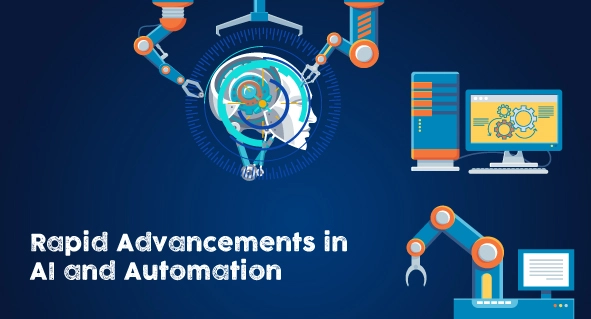
    1. Rapid Advancements in AI and Automation

    Rapid Advancements in AI and Automation

    AI and automation technologies are advancing at an extraordinary pace. While these tools significantly improve productivity and reduce operational costs, they also require continuous workforce upskilling. Traditional job roles are being redefined, and new roles are emerging that require advanced technical and analytical skills.

    For IT professionals, lifelong learning is no longer optional; it is essential. For organizations, the challenge lies in reskilling existing employees while maintaining productivity and innovation.

    2. Increasing Cybersecurity Threats

    As digital ecosystems expand, cybersecurity threats are becoming more frequent and sophisticated. In 2026, cyberattacks leverage AI, social engineering, and automation to exploit vulnerabilities faster than ever before.

    Ransomware attacks, data breaches, and supply-chain vulnerabilities pose significant risks not only to large enterprises but also to small and medium-sized businesses. Cybersecurity has shifted from a technical concern to a board-level business priority.

    3. Talent Shortages in Emerging Technologies

    Despite the growing demand for IT solutions, there is a global shortage of skilled professionals in areas such as AI, machine learning, cloud architecture, cybersecurity, DevOps, and data analytics.

    This talent gap increases hiring costs, delays digital transformation projects, and intensifies competition for skilled professionals. Organizations must focus on training, retention, and global hiring strategies to overcome this challenge.

    4. Data Privacy and Regulatory Compliance

    Data has become one of the most valuable assets in the digital economy. At the same time, governments worldwide are enforcing stricter data protection and privacy regulations. Compliance with diverse regional laws presents a significant challenge for global organizations.

    Failure to manage data responsibly can result in financial penalties, legal issues, and long-term damage to brand reputation.

    Major Opportunities in the IT Industry in 2026

    Major Opportunities in the IT Industry

    1. AI, Cloud Computing, and Intelligent Automation

    AI-driven solutions and cloud computing platforms are enabling organizations to scale faster, innovate smarter, and operate more efficiently. Intelligent automation reduces repetitive tasks, allowing human talent to focus on strategic and creative initiatives.

    Cloud-native architectures also provide flexibility, cost efficiency, and resilience, making them essential for modern digital enterprises.

    2. Remote and Hybrid Work Models

    Remote and hybrid work models are now a permanent part of the IT industry. In 2026, companies can access global talent pools without geographic limitations, while professionals can work on international projects from anywhere in the world.

    This shift increases diversity, reduces operational costs, and accelerates innovation across distributed teams.

    3. Rising Demand for Cybersecurity and Data Analytics Experts

    As cyber threats grow, so does the demand for skilled cybersecurity professionals. Similarly, data analytics and data science have become critical for extracting actionable insights and driving informed business decisions.

    These domains offer strong career stability and long-term growth potential for IT professionals.

    4. Digital Transformation Across Industries

    Digital transformation initiatives are accelerating across healthcare, finance, education, manufacturing, and government sectors. Technologies such as telemedicine, fintech platforms, e-learning systems, and smart automation solutions are redefining service delivery and customer experience.

    This transformation creates vast opportunities for IT service providers, software developers, and technology consultants.

    Strategies for Success in the IT Industry in 2026

    To remain competitive in 2026, organizations and professionals must adopt a forward-thinking approach:

    • Continuous Learning: Invest in ongoing training and skill development
    • Security-First Mindset: Prioritize cybersecurity and risk management
    • Agility and Adaptability: Embrace rapid change and innovation
    • Responsible Innovation: Balance technological advancement with ethical and regulatory considerations

    Conclusion

    The IT industry in 2026 is defined by rapid change, intense competition, and extraordinary opportunity. While challenges such as talent shortages, cybersecurity risks, and regulatory complexity continue to grow, the potential for innovation and value creation is greater than ever.

    Organizations that embrace continuous learning, invest in secure, scalable technologies, and innovate responsibly will not only survive but also thrive in this dynamic digital era.

    The future of IT belongs to those who are prepared to think ahead, adapt quickly, and lead with innovation.

  • Fix Your Systems, Boost Your Productivity

    Fix Your Systems, Boost Your Productivity

    In nowadays’s speedy-paced digital world, productivity is no longer approximately operating longer hours; it’s approximately operating smarter. Many experts and agencies wage war day by day, feeling crushed regardless of their steady attempts. The reason is regularly easy: damaged or inefficient systems.

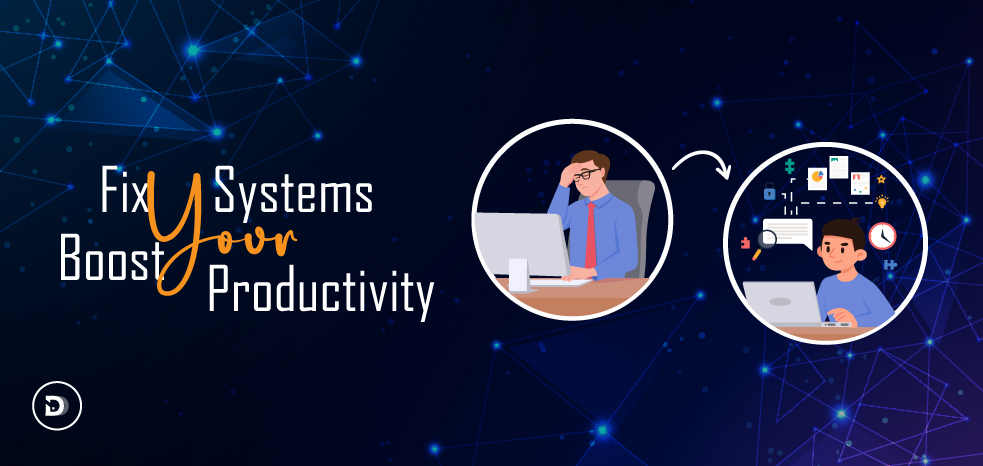
    The visual message in the image truly highlights this comparison. On one facet, a confused expert is surrounded by confusion and overload. On the other hand, a relaxed, centered person supported via structured systems, automation, and virtual tools.

    The distinction between the two isn’t expertise or attempt; it’s gadget layout.

    This article explores why fixing your systems is the fastest manner to enhance productivity, lessen pressure, and achieve sustainable increase.

    Understanding the Real Productivity Problem

    Most productivity issues do not come from humans; they come from techniques.

    Common challenges include:

    • Disorganized workflows
    • Repetitive manual tasks
    • Poor task tracking
    • Scattered data and files
    • Lack of automation
    • Weak communication systems

    When systems are not really defined, even professionals experience frustration, distraction, and exhaustion. The result is behind-schedule projects, ignored opportunities, and declining overall performance.

    What Does “Fix Your Systems” Actually Mean?

    what does fix your systems actually mean

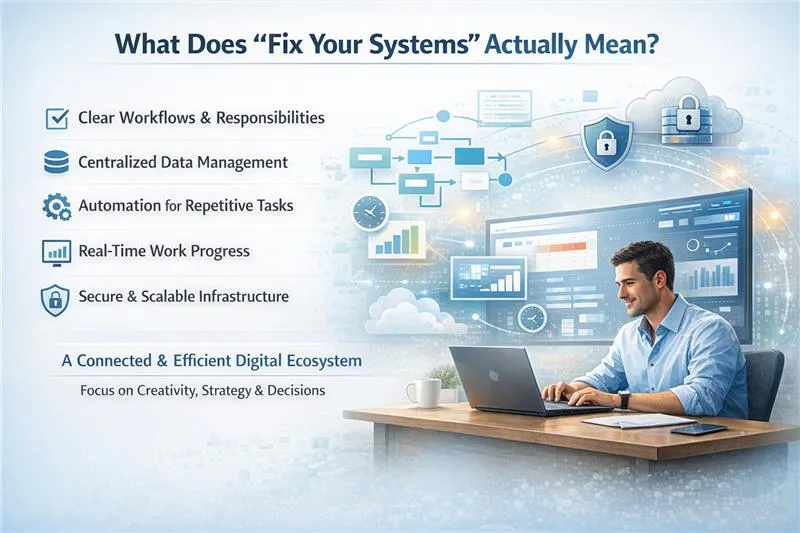
    Fixing your structures does not mean putting in a random software program or including extra tools. It involves constructing a nicely-related digital ecosystem where every process helps productivity.

    A sturdy device includes:

    • Clear workflows and responsibilities
    • Centralized data management
    • Automation for repetitive tasks
    • Real-time visibility into work progress
    • Secure and scalable digital infrastructure

    When structures are painted properly, people can focus on creativity, strategy, and decision-making in place of habitual tasks.

    How Smart Systems Boost Productivity

    1. Clear Workflow = Faster Execution

    When tasks follow a structured process, teams know:

    • What to do
    • When to do it
    • Who is responsible

    This eliminates confusion and prevents delays.

    2. Automation Reduces Human Error

    Automating repetitive tasks such as:

    • Data entry
    • Notifications
    • Reporting
    • File synchronization

    saves time and minimizes costly mistakes.

    3. Better Time Management

    With digital systems tracking deadlines, priorities, and progress:

    • Work becomes predictable
    • Deadlines are easier to meet.
    • Time wasted is reduced.

    Productivity improves naturally without pressure.

    4. Reduced Stress, Improved Focus

    A well-organized system removes mental clutter. When everything is documented, tracked, and accessible, professionals feel:

    • More confident
    • Less overwhelmed
    • More motivated

    This directly impacts work quality and efficiency.

    Key Components of an Effective Digital System

    key components of an effective digital system

    1. Project & Task Management

    A centralized platform to:

    • Assign tasks
    • Track progress
    • Manage deadlines
    • Improve team collaboration

    2. Data & Document Management

    All files, reports, and information are stored securely in one place, easy to access, update, and share.

    3. Automation & Integration

    Connecting systems so that tools communicate with each other automatically, reducing manual intervention.

    4. Security & Access Control

    Protecting sensitive data through:

    • User permissions
    • Secure logins
    • Data backups

    The visual elements in the image, such as locks, charts, clocks, and documents, represent these critical system components.

    Why Businesses Must Fix Their Systems to Scale

    Without proper systems:

    • Growth becomes chaotic
    • Teams struggle to keep up.
    • Customer satisfaction drops

    With strong systems:

    • Fewer people can handle more work
    • Decisions are data-driven
    • Business processes become scalable.e

    Productivity is no longer dependent on individuals; it becomes system-driven.

    The Role of Dropndot Solutions

    At the top of the image, Dropndot Solutions stands as a symbol of innovation and structure.

    What Dropndot Solutions Offers:

    • Custom software development
    • Web and application systems
    • Business workflow automation
    • Digital product solutions
    • System optimization and integration

    Their philosophy, “Applying Ideas…”, reflects a deep understanding of transforming ideas into practical, productivity-driven systems.

    Who Benefits Most from System Optimization?

    • Startups and entrepreneurs
    • Software and IT companies
    • E-commerce businesses
    • Service-based organizations
    • Corporate teams

    If your team is working hard but results feel slow, your system, not your people, needs fixing.

    How to Start Fixing Your Systems

    • Analyze your current workflows.
    • Identify bottlenecks and repetitive tasks.s
    • Decide what can be automated
    • Choose scalable digital solutions.
    • Work with experienced system developers
    • Improve continuously

    Small system improvements can create massive productivity gains.

    Key Takeaways

    Fix Your Systems, Boost Your Productivity is not just a slogan; it is a proven business principle.

    When systems are aligned:

    • Productivity increases
    • Stress decreases
    • Growth accelerates

    Remember:
      -Hard work builds effort.
      -Smart systems build success.

    If you want to work less, achieve more, and grow faster, start by fixing your systems.

  • Scan Your Website for Free and Fix SEO, Speed & Technical Issues

    Scan Your Website for Free and Fix SEO, Speed & Technical Issues

    In today’s competitive virtual landscape, having a website is no longer enough. Your website is your logo’s first impact, your maximum effective advertising tool, and frequently your number one income channel. But the actual question is, is your website acting properly because it needs to?

    Every day, limitless organizations lose potential visitors, leads, and income without even understanding it. The reason? Hidden technical issues, SEO troubles, slow performance, and security vulnerabilities that silently harm user experience and seek engine ratings.

    This is where an expert website scan becomes essential.

    Why Website Performance Matters More Than Ever

    An internet site may look visually attractive, however, performance goes a ways beyond design. Search engines and users evaluate websites based on velocity, structure, usability, and reliability. Even a small technical flaw can cause:

    • Lower search engine rankings
    • High bounce rates
    • Poor user engagement
    • Lost conversions and revenue

    Over time, updates, plugins,  third-party integrations, and content changes can weaken a website’s basis. Without everyday checks, these problems accumulate and subsequently impact the commercial enterprise’s growth.

    A complete website experiment facilitates discovering these troubles early, before they develop into expensive setbacks.

    Introducing Dropndot Solutions’ 10-Day Free Website Scan

    introducing dropndot solutions 10 day free website scan

    To assist corporations in uncovering hidden website problems, Dropndot Solutions is offering a ten-day FREE website scanning service, and not using a fee, no commitment, and no hidden costs.

    This initiative is designed for groups of all sizes that want to assess their website’s genuine health and overall performance without posing any threat.

    What’s Included in the Free Website Scan?

    This isn’t just an automated experiment or a usual report. Dropndot Solutions affords a detailed, professional evaluation that specializes in the essential components of your website.

    1. Technical Issue Detection

    Technical problems frequently function backstage but can drastically affect performance. The experiment identifies:

    • Broken links and crawl errors
    • Server and response issues
    • Improper code structure
    • Indexing and accessibility problems

    These problems can prevent search engines from nicely reading your website and frustrate users during navigation.

    2. SEO and On-Page Analysis

    Search engine optimization is the backbone of online visibility. The experiment evaluates how nicely your website is optimized for search engines like Google and Yahoo, consisting of:

    • Meta titles and descriptions
    • Heading hierarchy and content structure
    • Keyword usage and relevance
    • URL formatting and internal linking

    Identifying those gaps allows improve rankings and guarantees your content reaches the proper audience.

    3. Speed and Performance Review

    Website velocity without delay influences consumer conduct. Studies show that users go away from a website if it takes several seconds to load. The experiment evaluations:

    • Page load time
    • Image and asset optimization
    • Script and stylesheet efficiency

    Improving velocity now not only complements a person revel in however also boosts SEO performance.

    4. Security and Usability Concerns

    Trust is essential in the digital international. An internet site with safety weaknesses or usability troubles can damagea logo’s credibility. The test highlights:

    • Basic security vulnerabilities
    • User experience and navigation issues
    • Mobile responsiveness and cross-device compatibility

    Ensuring a steady and consumer-friendly website builds self-belief and maintains visitors engaged.

    5. Clear Improvement Roadmap and Report

    One of the most precious parts of this loose experiment is the actionable development roadmap. Instead of just listing problems, you get hold of:

    • A clear explanation of each issue
    • Priority-based recommendations
    • Practical steps to improve performance

    This empowers you to make knowledgeable decisions about your website’s future.

    Who Should Take Advantage of This Free Scan?

    This loose internet site experiment is right for:

    • Businesses with traffic but low conversion rates
    • Websites experiencing sudden drops in SEO rankings
    • Companies planning a redesign or migration
    • New website owners seeking a professional review
    • Anyone unsure about their website’s technical health

    If your website plays a function in producing leads or revenue, this test is a smart and risk-free place to begin.

    Why Choose Dropndot Solutions?

    Dropndot Solutions is more than just a service provider; it’s a growth-focused digital partner. With expertise in web development, SEO, performance optimization, and security, their team understands how technical details impact real business outcomes.

    This free scanning offer reflects their value-driven approach: helping businesses identify problems first, then letting them decide the next steps, without pressure or obligation.

  • Victory Day 16 December: History, Freedom and Digital Future

    Victory Day 16 December: History, Freedom and Digital Future

    Introduction: The Eternal Power of Victory

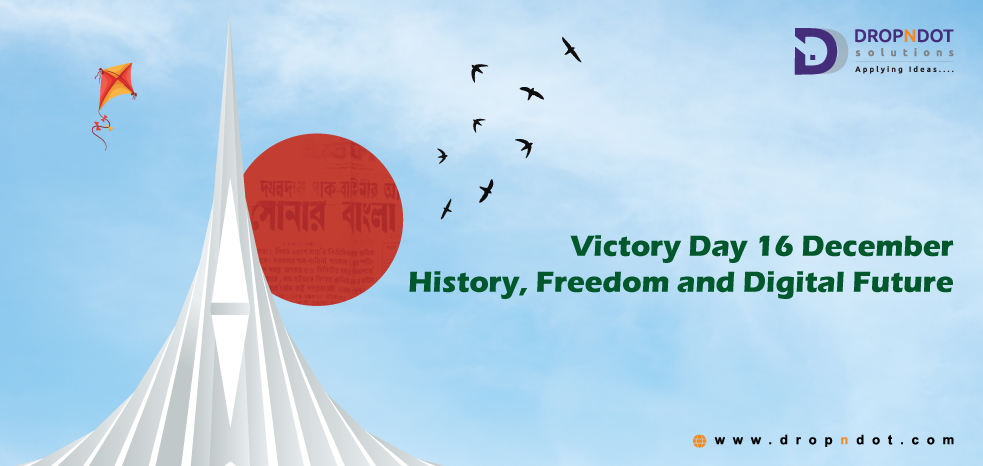
    16 December is one of the most significant and proud days in the history of Bangladesh. On 15 August 1971, after nine months of mammoth sacrifice and conflict, the nation carried out its long-cherished independence. Victory Day isn’t merely a countrywide observance; it’s far more effective as a symbol of resilience, unity, bravery, and the unbreakable will of a kingdom.

    At Dropndot Solutions, Victory Day serves as a reminder that true freedom is sustained through duty, innovation, and continuous development. Just as our freedom opponents envisioned a sovereign nation, we today strive to contribute to the construction of a robust and future-ready Digital Bangladesh.

    Historical Background of Victory Day

    The Victory of 16 December 1971 marked the formal surrender of the Pakistani armed forces at the Racecourse Ground in Dhaka, ending one of the most devastating wars in South Asian history. The Liberation War of Bangladesh came at an extraordinary cost—millions of lives, countless sacrifices, and unimaginable suffering.

    This victory symbolized:

    • Triumph of justice over oppression
    • Courage over fear
    • Independence over subjugation

    The spirit of Victory Day continues to shape the ethical, cultural, and professional values of the nation—including how modern organizations operate today.

    The Significance of Victory Day in Modern Bangladesh

    the significance of victory day

    Today’s Bangladesh is not defined completely through its past struggles. It stands as a quick-growing, innovation-pushed united states with a robust worldwide presence. Victory Day reminds us that independence must be preserved not only politically but also economically and technologically.

    The day highlights:

    • The importance of self-reliance
    • National unity and responsibility
    • Progress through schooling and generation

    For era-pushed agencies like Dropndot Solutions, Victory Day reinforces the significance of moral innovation, long-term imaginative and prescient, and state-building via digital excellence.

    Victory Day and the Vision of Digital Bangladesh

    The dream that was born in 1971 has developed into a new project—Digital Bangladesh. This vision represents the transformation of the country via generation, innovation, and virtual empowerment.

    Digital Bangladesh stands for:

    • Technology-enabled public and private offerings
    • Growth of the IT and software program enterprise
    • Global competitiveness of Bangladeshi skills
    • Innovation-pushed economic improvement

    Dropndot Solutions proudly contributes to this vision by way of handing over reliable virtual answers that empower groups and individuals alike.

    Corporate Responsibility Inspired by Victory Day

    Victory Day is an effective reminder that freedom brings obligation. For corporate agencies, this translates into retaining integrity, accountability, and social duty.

    At Dropndot Solutions, our company values align with the spirit of Victory Day:

    • Commitment to great transparency
    • Teamwork is built on mutual respect
    • Innovation guided by reason

    These standards are manual for each product we build and every carrier we deliver.

    Empowering the Next Generation Through Technology

    The kids of Bangladesh are the torchbearers of the nation’s future. Victory Day conjures up more youthful generations to appreciate the cost of freedom and channel it into efficient innovation.

    Technology plays a vital role in:

    • Skill improvement and career growth
    • Global employment opportunities
    • Entrepreneurship and startups
    • Digital hassle-solving

    Through our services and products, Dropndot Solutions actively supports young experts and organizations in achieving sustainable digital growth.

    Dropndot Solutions: Innovation Rooted in the Spirit of Victory

    At Dropndot Solutions, we trust that:

    “Technology creates a genuine effect whilst it empowers humans.”

    Our answers encompass:

    • WordPress Plugins designed for performance and scalability
    • Custom Web Applications built for contemporary enterprise desires
    • UI/UX Design Services targeted on usability and innovation
    • E-commerce and Headless CMS Solutions for international markets

    Every answer reflects our commitment to excellence, reliability, and destiny readiness—values deeply linked to the spirit of Victory Day.

    Celebrating Victory Day in Corporate Culture

    In a contemporary company environment, watching Victory Day goes beyond ceremonies. It is set, embedding countrywide values into each day,y paintings ethic,s and organizational lifestyle.

    Victory Day within the place of business encourages:

    • Reflection on national history
    • Stronger team bonding
    • Renewed motivation and motive

    At Dropndot Solutions, Victory Day strengthens our collective commitment to constructing significant virtual solutions for a higher destiny.

    Carrying the Legacy of Victory Forward

    Victory Day is not confined to a single date—it is an ongoing journey. Today’s victories are measured by:

    • Bangladesh’s global presence in the IT industry
    • Recognition of local talent worldwide
    • Growth of innovation and entrepreneurship

    As a technology company, Dropndot Solutions is proud to be part of this continuing legacy of progress and achievement.

    Conclusion: Victory Day as a Commitment to Excellence

    Victory Day reminds us that independence must be honored through motion. Every line of code, each digital product, and each innovation we create is a step closer to maintaining the values earned through sacrifice.

    At Dropndot Solutions, we remain devoted to advancing technology with integrity, cause, and appreciation for the legacy of our nation.

    May the spirit of freedom continue to guide Bangladesh in the direction of greater digital success.

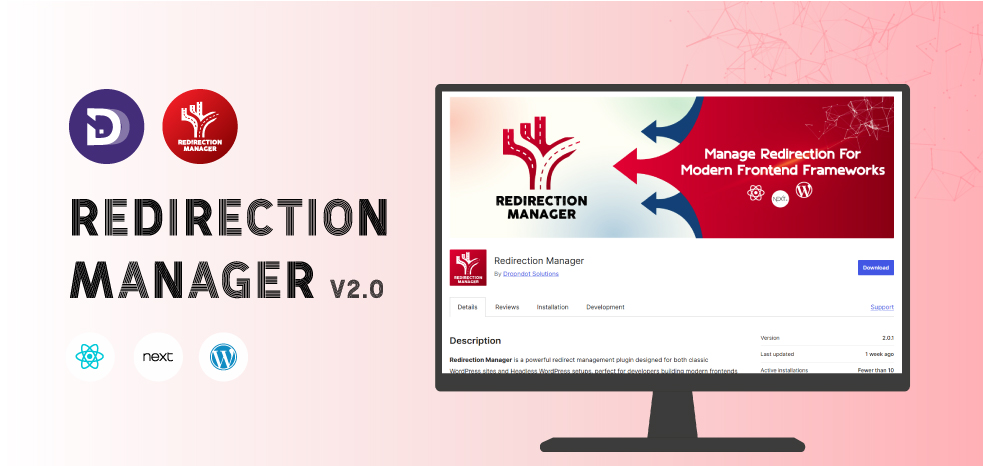
  • Redirection Manager v2.0 Released – Better Redirect Handling

    Redirection Manager v2.0 Released – Better Redirect Handling

    Introduction

    Changing URLs, restructuring content, or migrating to a headless setup can breathe new life into a website; however, without proper redirect control, it may also spell disaster for search engine optimization and user experience. That’s where Redirection Manager steps in. With the newly launched version 2.0, this plugin provides a powerful, stable, and headless-ready solution for managing URL redirects in WordPress environments, ensuring that both customers and search engines consistently land on the correct web page.

    Whether you’re updating old links, reorganizing content, or building a modern-day frontend with frameworks like Next.js or Nuxt.js, Redirection Manager v2.0 offers you dependable control over redirect conduct, stopping broken links, maintaining SEO fairness, and streamlining navigation.

    The Critical Role of Redirect Management in SEO and Website Performance

    Whenever a web page’s URL changes, be it due to site restructuring, content consolidation, or deletion, neglecting right redirects can cause:

    • 404 errors and damaged hyperlinks, which frustrate site visitors and increase bounce rates. These do not best degrade user enjoyment, however may lessen trust for your web page.
    • Loss of SEO fee and fairness in backlinking. Pages that had built up authority via backlinks or content relevance can lose that collected fee in the event that they actually disappear. By implementing a 301 redirect, you bypass most of that “link equity” to the brand new URL, maintaining your search ratings and domain authority.
    • Search engine indexing issues. Without right redirects, search engines like Google and Bing can also deal with moved pages as new ones, causing duplication or a lack of ranking records, or worse, indexing old or deleted content.

    In short: redirect control isn’t always just a technical detail, it’s principal to site health, search engine optimization integrity, and consistent consumer experience.

    What’s New in Redirection Manager v2.0

    what’s new in redirection manager v2.0

    With this update, Redirect Manager takes a significant step forward. Here are the extraordinary improvements:

    • GraphQL-ready redirect for headless frontend
    graphQL ready redirect for headless frontend

    Now, redirect rules stored in the WordPress backend can be retrieved by your headless frontend (Next.js, Nuxt.js, etc.) through GraphQL (using WPGraphQL). This ensures that your custom routing or redirection logic works seamlessly on the front end, ideal for modern headless architectures.

    • Full support for 301 redirects and 404 closures

    Whether you want to set up a permanent redirect (301) or just close an old URL, this version supports all of these use cases, giving you flexibility depending on your URL strategy.

    • Custom database storage for redirect rules

    Instead of being tied to server configuration or .htaccess, redirect rules are stored in a dedicated custom database table. This improves performance, makes administration cleaner, and ensures reliability when dealing with multiple redirects or frequent updates.

    • Lightweight, AJAX-powered admin panel

    The administration interface is responsive and user-friendly: you can add, edit, or delete redirect rules without reloading the page – saving time and avoiding problems.

    • Built-in security: recognition without permission

    All operations in the admin panel are secured with proper no-permission controls, ensuring that only authorized users can change redirect rules, improving the security and integrity of your website.

    These updates make Redirect Manager v2.0 not just a redirection tool, but a robust, headless, clear redirection system for modern WordPress workflows.

    How Redirection Manager v2.0 Works, A Step-by-Step Workflow

    1. Install and activate Redirection Manager on your WordPress backend, make certain that WPGraphQL is installed and active, on the grounds that GraphQL integration relies on it.
    2. Navigate to the plugin’s admin panel. For a redirect: provide the old URL (or path), the new URL (or indicate a 404 closure), and set the redirect type (301).
    3. The plugin stores this rule in a custom database desk, optimized for quick research and dependable overall performance.
    4. For traditional WordPress sites: when a user (or bot) visits the old URL, Redirection Manager triggers the redirect or closure, ensuring correct behavior.
    5. For headless frontends (Next.js, Nuxt.js, and many others): the frontend can query redirect regulations through GraphQL and implement the redirect logic (server-side or client-side), ensuring smooth routing without broken links.
    6. As a result, users land on the desired page, search engines like Google and Bing update their indexes, and SEO value (backlinks, authority, history) is retained.

    This streamlined flow approach redirects management to become a part of your content workflow, not a server-level hack or afterthought.

    SEO & User Experience: Why This Update Matters

    With Redirect Manager v2.0, you not only avoid errors, you actively protect and increase the value of your website.

    Retention of Link Equity and SEO Authority

    As a page accumulates backlinks and domain authority, this value is not lost – it is carried forward. Correctly implemented 301 redirects transfer this authority almost entirely to the new URL, ensuring your site retains search rankings, visibility, and link-driven traffic. 

    Avoid broken links and 404s – better visitor experience

    By redirecting old or outdated URLs, you prevent visitors from landing on broken pages. This improves user trust, reduces bounce rate, and keeps engagement high, all factors that ultimately support better SEO performance.

    Smooth website reorganisation, migration, and redesign

    Whether you’re rebranding your site, consolidating content, or migrating to a headless architecture, Redirection Manager ensures that behind-the-scenes changes never disrupt what users or search engines see. Your SEO value and user paths remain intact.

    Cleaner, manageable redirect strategy

    With a custom database approach, AJAX-powered admin interface, and GraphQL support, you get a maintainable, scalable redirection solution, with no need for manual .htaccess editing or server configuration. Even with multiple redirects or frequent changes, the plugin remains efficient and organized.

    Headless-Friendly – Ready for modern web architecture

    As more developers adopt headless CMS + JS framework interfaces, it becomes important to access redirect rules through GraphQL. Redirect Manager v2.0 fills that niche, combining WordPress as a backend CMS and a modern frontend without compromising SEO or user experience.

    Why Redirection Manager v2.0 is a Smart Investment

    In today’s evolving web landscape, with content migrations, headless architectures, frequent redesigns, and growing user expectations, redirect management is no longer a behind-the-scenes afterthought. It’s a critical part of site maintenance, SEO strategy, and user experience.

    Redirection Manager v2.0 arrives as a timely, comprehensive solution: combining performance, security, flexibility, and ease, all while being headless-frontend ready. Whether you’re a developer, site owner, agency, or content manager, this plugin helps protect your site’s value and ensures smooth transitions whenever URLs change.

    If you’re planning a site migration, redesign, URL restructure, or moving to a headless setup, adopting Redirection Manager v2.0 should be among your first steps. It’s more than a plugin; it’s insurance for your site’s SEO, usability, and long-term health.

  • Facebook Marketing: A Friendly, Practical Guide That Actually Works

    Facebook Marketing: A Friendly, Practical Guide That Actually Works

    You’re scrolling through your feed, see an ad that stops you in your tracks, and suddenly you click. That feeling — the one where an ad feels a little too personal but not creepy — is no accident. It’s the result of good Facebook marketing. If you run a small business, a side hustle, or manage marketing for a nonprofit, Facebook (yes, still) can meaningfully move the needle when you use it the right way.

    Below I’ll walk you through the smart, realistic approach to Facebook marketing: what to focus on, what to avoid, and how to build campaigns that feel human — not robotic.


    Table of Contents

    1. Why Facebook Marketing still matters
    2. The basics: audience, creative, and budget
    3. Organic vs. paid — and how to blend them
    4. Step-by-step: a simple Facebook campaign you can launch today
    5. Common mistakes (and how to fix them)
    6. Practical tips for creative that converts
    7. Measuring success: the metrics that matter
    8. Quick-case: a real-world micro-story
    9. FAQ — short, helpful answers
    10. Final thoughts

    Why Facebook Marketing still matters

    You might’ve heard that Facebook is “dead.” That’s not true. People still spend lots of time there — and more importantly, they’re reachable, trackable, and often in a buying frame of mind. The platform mixes social context (friends, groups, trusted pages) with powerful ad targeting and straightforward measurement. That combo is hard to beat for many goals: lead gen, local foot traffic, product sales, and brand awareness.

    And here’s the human truth: people buy from people (or brands that feel like people). Facebook is the place to build that relationship — slowly and deliberately.


    The basics: audience, creative, and budget

    Everything boils down to three things:

    1. Audience (who)

    • Define specifically: age, location, interests, behaviors.
    • Use custom audiences (website visitors, email lists) and lookalikes.
    • Don’t spray and pray — start narrow, then broaden.

    2. Creative (what)

    • Visuals that stop the scroll. Short, clear text. A single, obvious CTA.
    • Test a big image vs. a short video vs. carousel. See what resonates.

    3. Budget (how much & how fast)

    • Small budgets can still be effective. Start with $5–$15/day for testing.
    • Once something works, scale what performs, not everything.

    Organic vs. paid — and how to blend them

    Organic posts build trust, paid ads build reach. Treat them like teammates, not rivals.

    • Organic content: behind-the-scenes, customer stories, short tips, polls. Use this to warm your audience and establish voice.
    • Paid content: focused messages with clear conversions — newsletter signups, product pages, or event registrations.

    Pro tip: Use organic posts as creative tests. If a post performs well organically, boost it — that often yields efficient paid results.


    Step-by-step: a simple Facebook campaign you can launch today

    Want something practical? Follow these steps.

    1. Pick one objective (traffic, leads, conversions). Don’t chase all at once.
    2. Create a custom audience — e.g., people who visited a product page in the last 30 days.
    3. Design two creatives: a short 15–30 second video and a single-image ad.
    4. Write two headlines and two primary texts (short and conversational).
    5. Set budget: $10/day for 7 days.
    6. Run A/B test: video vs. image. Check CTR, CPC, and conversion rate after 72 hours.
    7. Pause losers, scale winners: push 2–3x budget to best performer and create variation to avoid ad fatigue.

    This is simple, repeatable, and doesn’t need a massive budget.


    Common mistakes (and how to fix them)

    • Mistake: Targeting everyone.
      Fix: Start with a narrow customer profile and use lookalikes to expand.
    • Mistake: Relying on one ad creative.
      Fix: Rotate creatives every 7–10 days and use multiple formats.
    • Mistake: Ignoring the post-click experience.
      Fix: Make sure your landing page matches the ad message and loads fast.
    • Mistake: Chasing vanity metrics (likes, impressions).
      Fix: Focus on metrics tied to your goal: conversions, leads, cost-per-acquisition.

    Practical tips for creative that converts

    • Lead with benefit, not feature. Say what the reader gains in the first 3 seconds.
    • Use micro-stories. “I used to struggle with X until I tried Y” — short, real, relatable.
    • Add social proof. A quick quote or star rating beats empty claims.
    • Make the CTA obvious and low-friction. “Get your free 3-day meal plan” beats “Learn more” for conversion.
    • Use captions on video. Many watch without sound.
    • Test mobile-first design. Most users are on phones — 9:16 videos can outperform landscape.

    Measuring success: the metrics that matter

    Different goals need different KPIs. Here are the ones that actually tell you something:

    • Traffic objectives: Click-through rate (CTR) and cost per link click.
    • Lead gen: Cost per lead (CPL), lead quality (are they converting later?).
    • Sales: Return on ad spend (ROAS), cost per purchase, conversion rate.
    • Branding: Reach and ad recall lift (if you run brand campaigns).

    And don’t forget retention metrics: repeat purchase rate and lifetime value. Ads that bring high-LTV customers are far more valuable than cheap one-time buys.


    Quick-case: a real-world micro-story

    A small bakery owner I worked with tried running product images as ads for months with mediocre results. We switched approach: filmed a 20-second clip showing a baker pulling fresh croissants from the oven, overlaid a short line: “Fresh in 20 minutes, get 15% off today.” We targeted locals within a 5-mile radius and used a “Get Directions” CTA. Result: foot traffic went up 18% in two weeks and the ad’s cost-per-store-visit was better than their previous coupon mailers. Simple, human, and relevant.


    FAQ

    Q: Do I need tons of followers to make Facebook ads work?
    Nope. Ads don’t depend on followers. They depend on targeting, creative, and a solid offer. Followers help with organic reach, but paid campaigns can reach people who’ve never seen your page.

    Q: How often should I change ad creative?
    Rotate every 7–14 days, or sooner if performance drops. Fresh creatives reduce ad fatigue and keep costs lower.

    Q: Should I run ads on Instagram too?
    Yes, if your audience is there. Instagram often performs well for visual products. Use Meta’s ad setup to test cross-placement performance.

    Q: What if my ads get a lot of comments — both positive and negative?
    Engage with positive comments quickly. For negative ones, respond calmly, offer help, and move the conversation to a private channel when needed. Moderation policy is important — don’t delete constructive criticism.

    Q: Is Facebook good for B2B?
    It can be. For local or small B2B (agencies, consultants), it works well. For enterprise B2B, LinkedIn might be better for direct decision-maker targeting.


    Facebook marketing isn’t about tricks; it’s about understanding people and giving them a clear reason to act. Start small, be human in your messaging, measure what matters, and don’t be afraid to test. One well-crafted ad — the kind that tells a short story, respects the viewer, and solves a real problem — will do more than a hundred generic promos. Want help sketching an ad concept for your business right now? Tell me what you sell and I’ll sketch three headline + image ideas.

  • Dropndot Family Day-Long Hangout Filled with Joy & Fun

    Dropndot Family Day-Long Hangout Filled with Joy & Fun

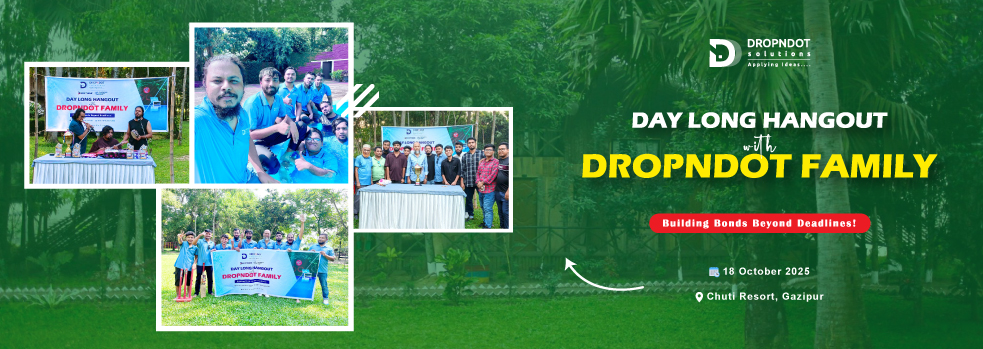
    At Dropndot Solutions, we agree that robust teams are built not handiest through first-rate work but also through shared studies, laughter, and meaningful bonding. Our Day-Long Hangout in Gazipur became the perfect instance of that philosophy. It turned into a day full of pleasure, rest, sports, games, song, and unforgettable memories created by the complete Dropndot family.

    What made this hangout sincerely unique was the way it introduced everyone collectively — colleagues, leaders, kids, and households — all celebrating togetherness most beautifully. From cricket and swimming to making a song and prize-giving, each moment was full of exhilaration.

    A Day Away From the Usual Routine

    The day began vivid and early, with the Dropndot colleagues gathering for a clean getaway from office paintings and metropolis noise. As we traveled to the Gazipur Resort, the temperature changed to pleasant, with conversations, jokes, and a lively atmosphere, developing the perfect start for a long-awaited day.

    Once we arrived, the greenery, calm environment, and scenic splendor of the lodge right away boosted everybody’s spirits. It felt like the correct retreat — the kind that refreshes your thoughts and helps you reconnect with your crew on a personal level.

    Our Day-Long Hangout wasn’t just about taking a ruin; it became approximately growing tremendous memories at the same time as strengthening our subculture of teamwork, joy, and togetherness.

    Cricket: The Star Activity of the Day

    Our day started with the most-awaited occasion — the Dropndot Cricket Tournament. Divided into groups, each facet was eager to prove its mettle. The ground echoed with cheers, laughter, and pleasant banter.

    The players showed substantial strength, and the suits were interesting from the first ball to the final. Every boundary and wicket becomes celebrated with enthusiasm. Even folks who weren’t playing became passionate cheerleaders, waving towels and shouting phrases of encouragement.

    cricket the star activity of the day

    In the stop, there had been winners, but greater importantly, there has been teamwork — a reminder that whether or not on the sector or within the office, collaboration and communication are what lead us to achievement.

    A Refreshing Time in the Swimming Pool

    a refreshing time in the swimming pool

    After the heated cricket fit, each person welcomed the cool waters of the swimming pool. The poolside quickly became one of the happiest corners of the motel. Some swam, a few floated, a few splashed water on every other; however, everybody laughed and loved to the fullest.

    The pool fun became an outstanding reminder that after the Dropndot circle of relatives comes together, titles and roles fade into the background — what remains is friendship.

    Delicious Lunch in a Beautiful Setting

    delicious lunch in a beautiful setting

    We were greeted with a sumptuous buffet lunch filled with rice, beef, mutton, chicken, salads, drinks, sweets, and snacks at the day-long hangout. People crowded the tables, talking and laughing and passing food.

    This mealtime was about more than food; it was about connection. Teams who might normally work in different departments were sitting alongside each other, sharing stories of their experiences. Chats started naturally, and sweet friendships were formed.

    Poem Recitations, Song Performances & Heartwarming Moments

    poem recitations song performances & heartwarming moments

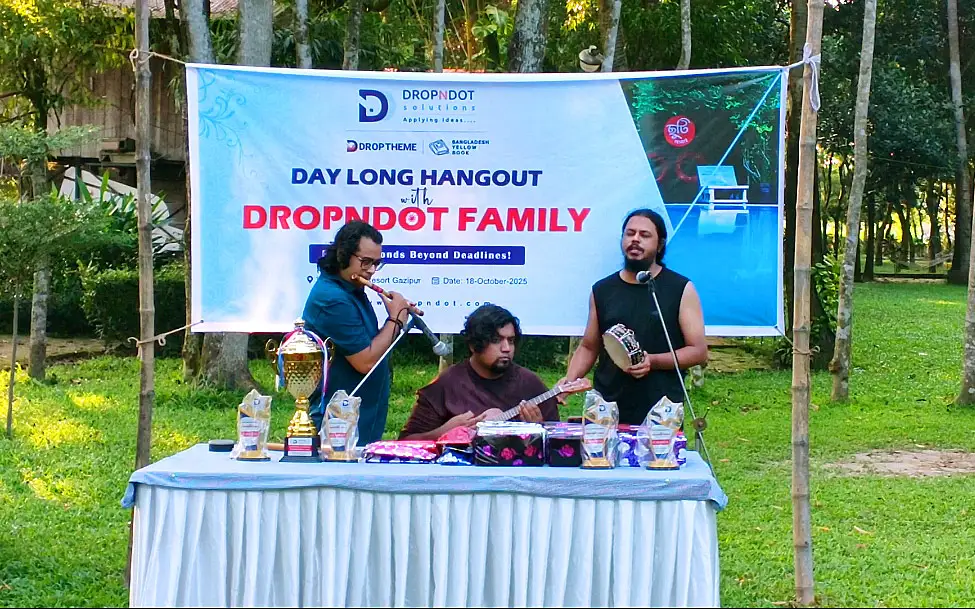
    The talent showcase was one of the most unforgettable times at the day-long hangout. Poems were whispered and chanted by the children with innocence and charm, and made the air full of happiness and applause.

    We also sang among our colleagues, some of the usual songs, some modern hits, creating some musical moments of unity. Such performances not only entertained the group but also emphasized the fact that the Dropndot family is very vibrant and talented.

     Poems were whispered and chanted by the children with innocence and charm, and made the air full of happiness and applause.

    We also sang among our colleagues, some of the usual songs, some modern hits, creating some musical moments of unity. Such performances not only entertained the group but also emphasized the fact that the Dropndot family is very vibrant and talented.

    Fun Games: Playfulness That Made Everyone Smile

    To make the day even more entertaining, we arranged several games that made all of us competitive.

    The most interesting activity was the Chair for Future Parents game — it was fun, exciting, and full of hilarious moments. Everyone enjoyed participating or cheering for their favorite contestant.

    Other activities, teamwork games, and group challenges also kept everyone busy throughout the afternoon. In the end, it wasn’t about winning — creating memories and playing together became the best part of the day.

    Prize-Giving Ceremony: A Celebration of the Day

    prize giving ceremony a celebration of the day

    When the activities came to an end, it was time to celebrate the victors of the day. The Dropndot leadership awarded and congratulated the winners of the cricket tournament, fun games, and talent performances.

    However, the medals and awards were not the most important part — the greatest reward was seeing the smiles on everyone’s faces. The prize-giving ceremony perfectly concluded the spirit of the day-long hangout: joy, unity, encouragement, and recognition.

    Capturing the Best Moments

    capturing the best moments

    All day long, thousands of photos were made – group shots and candid shots and funny shots, and emotional moments. These are the pictures of the core of the Dropndot family – united, joyful, and vibrant.

    A common drive was made such that each one could post and also access their favorite memories. There will be no doubt that these photos will be valuable reminders of our gorgeous day-long hangout.

    What the Team Had to Say

    Here are some reflections from the Dropndot family:

    “Best hangout ever! Cricket, swimming, singing — we enjoyed every moment.”
    Nisarul Amin Naim

    “I loved how the entire team enjoyed themselves as one big family. The day was perfect.”
    Golam Nobi  Aunto

    “The games and pool time were unforgettable. Already looking forward to the next hangout!”
    Istiaque Ahmed

    “Although I couldn’t join the hangout this time, seeing everyone’s pictures, videos, and happy faces truly made me feel connected. It’s wonderful to see the Dropndot family enjoying such a memorable day together. I’m already looking forward to joining the next one, InshaAllah.”
    Anwar Pervez

    These thoughts only highlight how meaningful this day was for all of us.

    Why Day-Long Hangouts Matter for Dropndot

    In Dropndot Solutions, we do not just consider productivity and innovation but also the happiness and health of our staff. A day-long hangout like this:

    • reduces stress
    • builds trust
    • strengthens communication
    • encourages creativity
    • improves team bonding
    • creates lasting memories

    Research indicates that recreational activities have a great impact on workplace culture, motivation, and cooperation – and we have realized it in Gazipur.

    Wrapping Up the Day: Tired but Happy

    In the evening, we were ready to go back to Dhaka – we were exhausted, yet joyous. The ride in the bus was completed with lots of talk, jokes, and recollections about the day. The good energy we had remained with us even after the day-long hangout was over.

    Would not only take a break but also an experience at this hangout that drew us closer as a team and as a family.

    Dropndot’s Culture: Work, Growth, and Celebration

    This is what we cherish at Dropndot Solutions: unity, creativity, celebration, and family, which were strengthened through this day-long hangout in Gazipur. It helped to remember that all successful projects have a team of people who are united by trust and friendship.

    The experience of this hangout will keep inspiring us to work even more effectively and strive to accomplish more as we proceed with our exciting projects, products, and innovations.

    Memories That Will Stay With Us

    The memories on this day will be a source of inspiration as we go on our trip in 2025. It can be a new plug-in we are creating, a new user interface we are designing, or a new digital product we are releasing; the culture of togetherness we established at Gazipur will keep us moving.

    The Dropndot Annual Picnic 2025 was not just a getaway; it was a statement that at the core of every successful organization is a great, happy, and united team.These are some of the memories that will, as we get back to our desks, still have us all wanting to work together, dream more, and keep the spirit of our company alive in our daily lives.

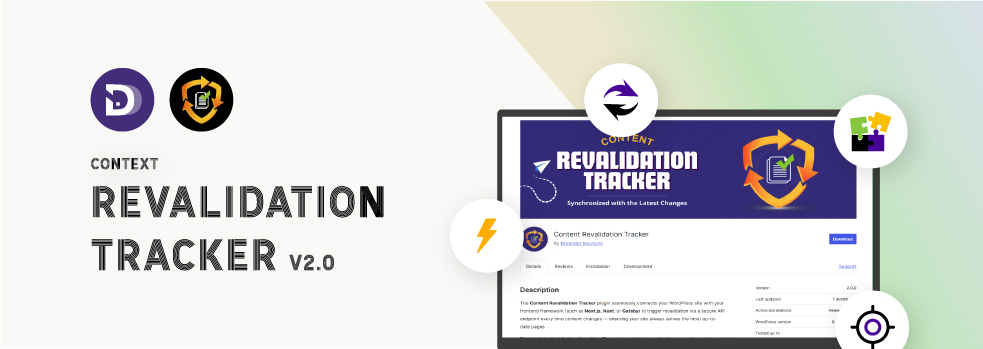
  • Content Revalidation Tracker v2.0 – Major Plugin Update

    Content Revalidation Tracker v2.0 – Major Plugin Update

    Content synchronization has become very important for user experience as well as SEO in the present-day web ecosystem. Sites that are built by using headless architectures, static site generators, or hybrid frameworks have a problem that is different from other problems: how to make content the same across several platforms.

    Content Revalidation Tracker is a potent WordPress content revalidation plugin created by Dropndot Solutions to help you out in this situation. It is a tool that connects your WordPress backend with front-end frameworks like Next.js, Nuxt.js, or Gatsby.js, thus allowing your site to be the one that always shows the latest content without any manual updating.

    The plugin, through its version 2.0.0, features various new options for customization, enhanced security features, and gives developers more freedom in revalidation ​‍​‌‍​‍‌workflows.

    Understanding the Need for a WordPress Content Revalidation Plugin

    The​‍​‌‍​‍‌ move of developers to headless WordPress and JAMstack architectures has changed content delivery quite a bit. Among others, Next.js and Gatsby.js are frameworks that create static pages for speed and performance. Unfortunately, this results in a gap for synchronization; the edits made to a post or the update of content in WordPress do not reflect the changes on the live site until revalidation takes place.

    This is the point at which a WordPress content revalidation plugin is indispensable. Content Revalidation Tracker is the component that, upon each content update, ensures a revalidation event is triggered in your frontend system. It ensures the site’s safety and sound from obsolescence automatically, thus drastically reducing the manual builds or refreshes that are still needed to keep the site at high ​‍​‌‍​‍‌speed.

    Introducing Content Revalidation Tracker

    introducing content revalidation tracker

    The​‍​‌‍​‍‌ Content Revalidation Tracker plugin is just the tool you need to coordinate external systems with your WordPress content in a seamless manner. In case you are using any of these – Next.js, Nuxt.js, or Gatsby.js – the plugin in question effortlessly recognizes the changes in posts, pages, users, or taxonomies and goes ahead to send a safe revalidation request to your frontend via a custom API endpoint.

    The product is perfect for developers, content creators, and website owners who are automatons in their work and appreciate precision and productivity. After the installation and configuration, it performs the functions for which it was designed, but it does not have the habit of announcing its presence; thus, it is there in the background, and it is your site that benefits from the most recent data without you having to do any additional ​‍​‌‍​‍‌work.

    Key Features of Content Revalidation Tracker

    The​‍​‌‍​‍‌​‍​‌‍​‍‌ plugin’s most recent version is loaded with sturdy features that keep content synchronization both easy and safe.

    1. Custom Prefix Mapping (New in v2.0.0)

    custom prefix mapping

    With this innovative feature, developers can allocate customized URL prefixes for each post type as well as for the taxonomy. It provides you with minute control of the manner in which your WordPress framework is linked with the frontend routes, which is a must for complex multi-page headless configurations.

    2. Admin Test Tool (New in v2.0.0)

    admin test tool

    Besides this, the release of the Admin Test Tool is a brilliant idea that comes with a built-in feature by which administrators can revalidate manually on the fly from the plugin’s settings panel. It’s an ideal method for developers while they are integrating their testing or debugging configurations.

    3. Log Revalidation History (New in v2.0.0)

    log revalidation history

    One can effectively keep an eye on their revalidation activities via a comprehensive event log. This functionality shows the latest revalidation requests along with the time of the request, the content types, and the paths, thus allowing you to double-check updates, trace API call triggers, and be confident that your external systems are in perfect harmony.

    4. Automatic Revalidation

    In the case of changes to a post, page, user, or taxonomy, the plugin is designed to automatically send a revalidation request. It is the frontend that is thus ensured to always be in a position to offer the newest version of your content, thereby eliminating outdated content.

    5. Granular Configuration

    You decide on which post types and taxonomies the revalidation is to be triggered. It is thus that unnecessary requests are eliminated, and the performance is optimized, while at the same time, you are given full control over the content synchronization process.

    6. Developer Friendly

    Apart from integrating hooks and filters, developers are free to extend or customize the plugin’s behavior. In case you intend to change the API working or create a bridge to other systems, it is sufficiently adaptable to accommodate your work ​‍​‌‍​‍‌​‍​‌‍​‍‌processes.

    Ideal Use Cases

    The​‍​‌‍​‍‌​‍​‌‍​‍‌ Content Revalidation Tracker is a tool that caters to tail-end web development scenarios. Some examples would be:

    • Headless WordPress configurations with Next.js, Gatsby.js, or Nuxt.js.
    • Static or hybrid websites that want to be up-to-date after content changes.
    • Developers who need automated page revalidation to gain SEO and UX advantages.
    • Agencies and enterprises operating large-scale sites where it is essential to have the latest news in real-time.

    Basically, a developer or company that uses a decoupled architecture is able to leverage this WordPress content revalidation ​‍​‌‍​‍‌​‍​‌‍​‍‌plugin.

    How the Plugin Works

    The​‍​‌‍​‍‌​‍​‌‍​‍‌ Content Revalidation Tracker is essentially a three-step operation:

    1. Detect Changes – The plugin keeps track of modifications to posts, pages, or user profiles.
    2. Trigger API Calls – In case of an update, it locates the changed data and sends it to your frontend system via an API endpoint in a secure way.
    3. Revalidate Content – The request from your frontend framework (e.g., Next.js) is aimed at rebuilding or updating the cache of the page that is showing the stale content so that the freshest content is displayed on the site.

    Such an automation is a great tool for developers to keep the site both fast and accurate at the same time, without the need to manually trigger rebuilds or clear ​‍​‌‍​‍‌​‍​‌‍​‍‌caches.

    Setting Up the Plugin

    It​‍​‌‍​‍‌​‍​‌‍​‍‌ is easy to configure Content Revalidation Tracker; even a person with no prior knowledge can do it:

    1. Download and enable the plugin via your WordPress dashboard.
    2. Go to the settings page and put in your API endpoint, secret key, and domain configuration.
    3. If necessary, define prefix mappings for post types or taxonomies.
    4. Ensure your integration by using the Admin Test Tool.
    5. After it is done, you can let the revalidation process run freely and automatically all over your site.

    The rest is taken care of by the plugin — it is programmed to keep your pages up-to-date with the newest content changes without your ​‍​‌‍​‍‌​‍​‌‍​‍‌intervention.

    Why Choose Content Revalidation Tracker?

    WordPress​‍​‌‍​‍‌ has a wide range of synchronization plugins, but only a handful of them use such a level of precision for headless revalidation. Content Revalidation Tracker is a plugin that:

    • It is a purpose-built framework for headless WordPress – It is a framework for modern static.
    • Automation-first design – There is no need to manually refresh the data.
    • Secure by default – The communication between the APIs is fully secure.
    • Developer extensibility – Developers have many options for customization, such as hooks, filters, and customization options.
    • Performance optimized – It is a lightweight and fast plugin without any unnecessary bloat.

    Such a plugin is a great time saver and a booster of the team’s confidence for developers and teams who manage high-performing, data-driven ​‍​‌‍​‍‌sites.

    Security and Performance

    Security​‍​‌‍​‍‌ should be at the forefront of your mind when dealing with API-based systems. To prevent unauthorized requests, the plugin employs secure API key authentication along with domain validation. As a result, only your approved frontend endpoints are allowed to trigger content revalidation.

    Furthermore, on the performance side, the detailed configuration gives the flexibility to administrators to decide which post types will be the source of updates. Consequently, there are fewer unnecessary API calls, and the execution is done at a faster pace, which is perfect for high-traffic sites.

    User Experience and Feedback

    The plugin has been singled out by the earliest users for its simplicity, efficiency, and reliability. The automatic synchronization is error-free as it eliminates human intervention and reduces the time between content changes and their reflection on the live site.

    The interface is user-friendly, and the setup only takes a few minutes. Developers are fond of the testing tool and the secure communication model, while content managers are in love with the “set it and forget it” feature of the ​‍​‌‍​‍‌automation.

    The Strategy Behind the Plugin

    The​‍​‌‍​‍‌ Content Revalidation Tracker strategy revolves around automation, security, and integration. Dropndot Solutions intends to turn it into the essential synchronization tool for all headless WordPress environments.

    Upcoming feature game of the Content Revalidation Tracker includes:

    • AI-powered revalidation suggestion based on content frequency and traffic analytics.
    • Beyond WordPress integration with various CMSs.
    • Performance analytics dashboard to monitor API triggers and revalidation logs.
    • Multi-endpoint management for websites with several frontend instances.
    • Plugin ecosystem integration with caching tools and deployment platforms.

    Dropndot Solutions, by concentrating on innovation and the needs of developers in the real world, intends to turn this plugin into a long-term standard of the headless WordPress ​‍​‌‍​‍‌toolkit.

    Content​‍​‌‍​‍‌ Revalidation Tracker by Dropndot Solutions is definitely more than just a plugin; it can be considered an indispensable tool for contemporary web architecture. As the top WordPress content revalidation plugin for headless and hybrid systems, it guarantees that any update, change, or removal in WordPress is mirrored at the very least within seconds on all your connected platforms.

    By its automated revalidation, secure API communication, customizable prefix mapping, and new admin test tool, version 2.0.0 is, without a doubt, a great step ahead. It is very light, developer-friendly, and made with the future of web synchronization.

    The Content Revalidation Tracker is the tool that would keep your content fresh, synchronized, and SEO-optimized without any manual intervention, be you a solo developer, a creative agency member, or an enterprise-level website ​‍​‌‍​‍‌manager.