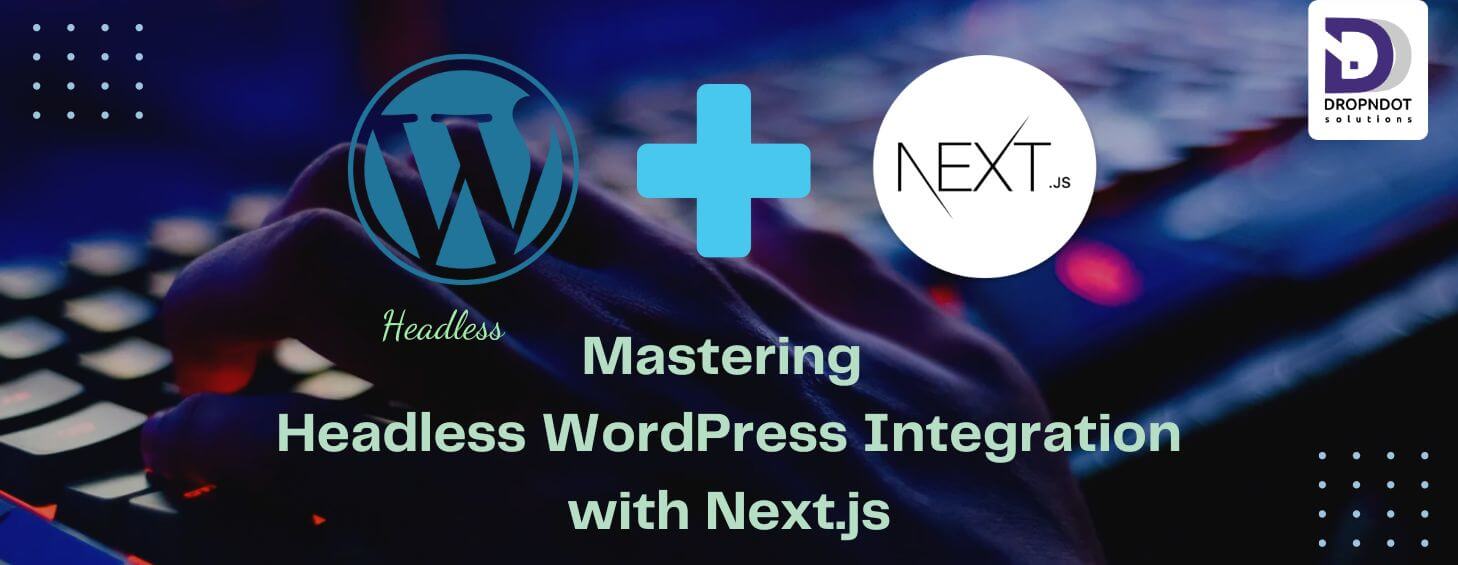
Introduction of “Mastering Headless WordPress Integration with Next.js”
“Mastering Headless WordPress Integration with Next.js” is a comprehensive guide that aims to help developers understand and implement a headless CMS architecture using WordPress and Next.js.”Mastering Headless WordPress Integration with Next.js” introduces an advanced approach to web development, combining the powerful content management capabilities of WordPress with the flexible front-end rendering capabilities of Next.js. In this integration, WordPress serves solely as a headless CMS, providing content through APIs, while Next.js handles the presentation layer, offering benefits such as server-side rendering (SSR), static site generation (SSG), and dynamic client-side.
This approach offers numerous advantages, including enhanced performance, scalability, and flexibility. By decoupling the content management and presentation layers, developers gain the freedom to create highly customized, interactive web experiences while leveraging WordPress’s familiar interface for content creation and management.
In this blog, developers delve into understanding the fundamentals of Headless CMS architecture, mastering Next.js‘ capabilities, exploring WordPress APIs, and implementing advanced integration strategies. From fetching data efficiently to optimizing performance, handling authentication, and ensuring SEO compatibility, this integration demands a comprehensive skill set.
Mastering Headless WordPress Integration with Next.js empowers developers to create dynamic, feature-rich web applications that seamlessly blend the robust content management capabilities of WordPress with the performance and flexibility of Next.js, setting the stage for the next generation of web experiences.
Setting Up the Environment of Headless WordPress Integration with Next.js
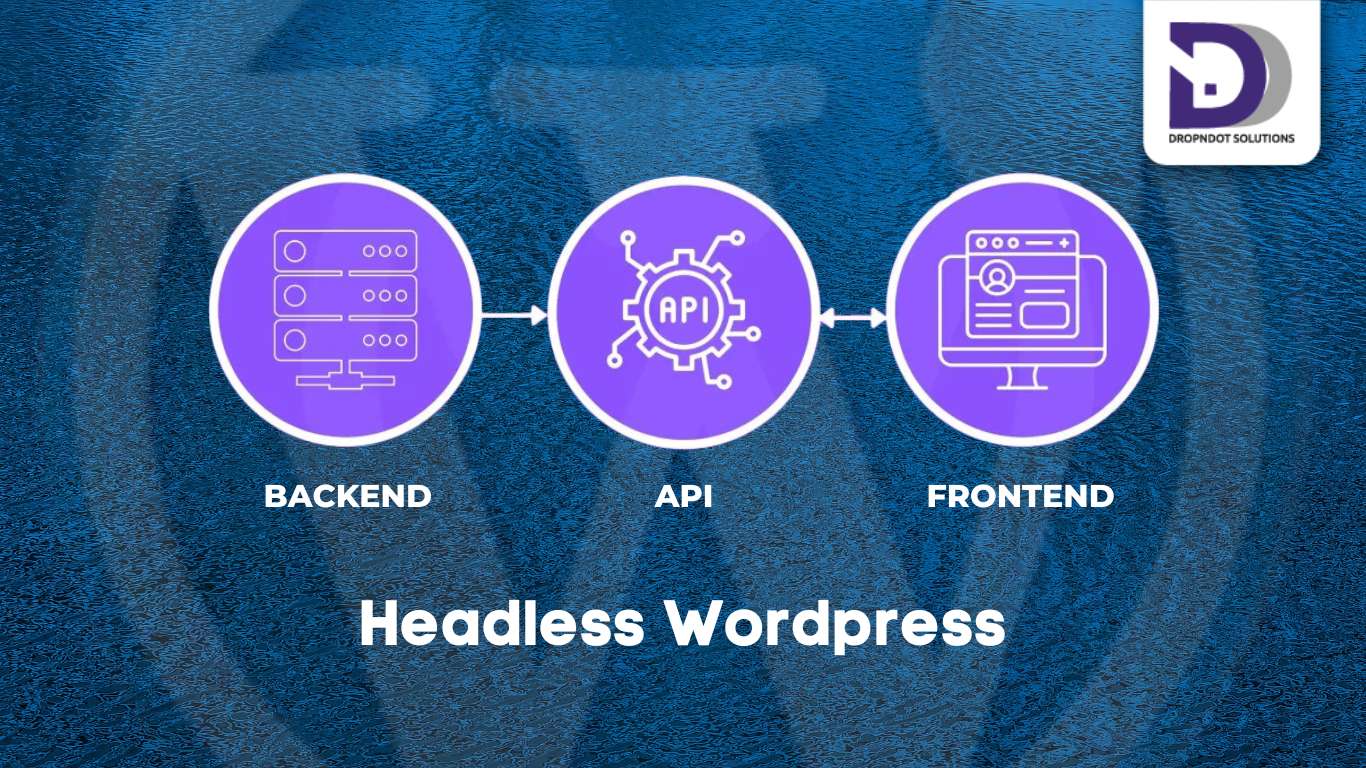
Setting up the environment for mastering headless WordPress integration with Next.js involves several key steps to ensure a smooth development process. First, you must install and configure WordPress as a headless CMS. This includes setting up a WordPress site on a local server or a hosting platform and ensuring that it is configured to serve content via the REST API or GraphQL. You’ll need to install plugins like “WP REST API” or “WPGraphQL” to facilitate this data exchange. Additionally, configuring permalinks to use a custom structure can help ensure clean URLs for your API endpoints.
Next, you’ll set up your Next.js development environment. Create a new Next.js project using a package manager like npm or yarn. Install necessary dependencies, including React, Axios (or a similar library for making API requests), and any styling libraries you plan to use, such as styled-components or Tailwind CSS. Configure your Next.js project to fetch data from the headless WordPress API by setting up environment variables to store your WordPress site’s URL and API keys if necessary.
Once the basic setup is complete, you’ll need to configure data fetching methods within your Next.js application. This involves creating API utility functions to handle requests to the WordPress REST API or GraphQL endpoints. You can set up these functions in a dedicated API file or folder within your Next.js project for better organization. Additionally, setting up SSR (Server-Side Rendering) or SSG (Static Site Generation) in Next.js is crucial for optimizing performance and SEO. Depending on your chosen rendering method, you’ll need to configure your Next.js pages to fetch data during the build process or on each request.
For development and debugging, setting up a local development environment is essential. Tools like Docker can help create isolated environments for both headless WordPress and Next.js, ensuring consistency across different development machines. Additionally, using version control systems like Git allows you to track changes and collaborate with other developers more efficiently. Configure continuous integration and deployment pipelines to automate the deployment process, ensuring that your headless WordPress site is always up-to-date with changes.
By carefully setting up your environment with these steps, you can create a robust foundation for developing a headless WordPress site with Next.js, paving the way for a high-performance, scalable, and maintainable web application.
The benefit of Headless WordPress Integration with Next.js
- Enhanced Performance:
By decoupling the front end from the WordPress backend, developers can optimize performance by leveraging Next.js’s capabilities for server-side rendering (SSR), static site generation (SSG), and efficient data fetching. This results in faster load times, improved user experience, and better search engine rankings. - Flexibility and Scalability:
Headless WordPress architecture combined with Next.js provides unparalleled flexibility and scalability. Developers have the freedom to choose the best tools and technologies for both the back end and front end, allowing for greater customization and adaptability to changing project requirements. Additionally, the modular nature of Next.js facilitates easy scaling as traffic and content volume grow. - Modern Development Workflow:
Mastering Headless WordPress Integration with Next.js introduces developers to modern development workflows and best practices. By leveraging React and Next.js, developers can benefit from component-based architecture, hot module reloading, and other features that streamline the development process and improve code maintainability. - Future-Proofing:
Embracing Headless WordPress Integration with Next.js future-proofs your projects by leveraging modern web technologies and standards. This approach ensures that your applications remain compatible with emerging trends and technologies, providing a solid foundation for long-term growth and innovation. - Seamless Content Management:
With WordPress serving as the headless CMS, content editors can continue to use familiar WordPress interfaces for content creation and management. This seamless integration allows businesses to leverage the power of WordPress’s robust content management capabilities while enjoying the performance and flexibility benefits of Next.js.
Overall, mastering Headless WordPress Integration with Next.js empowers developers to build high-performance, scalable web applications that deliver exceptional user experiences while providing businesses with the flexibility and agility needed to succeed in today’s digital landscape.
Fetching Data from WordPress: Utilizing the REST API and GraphQL
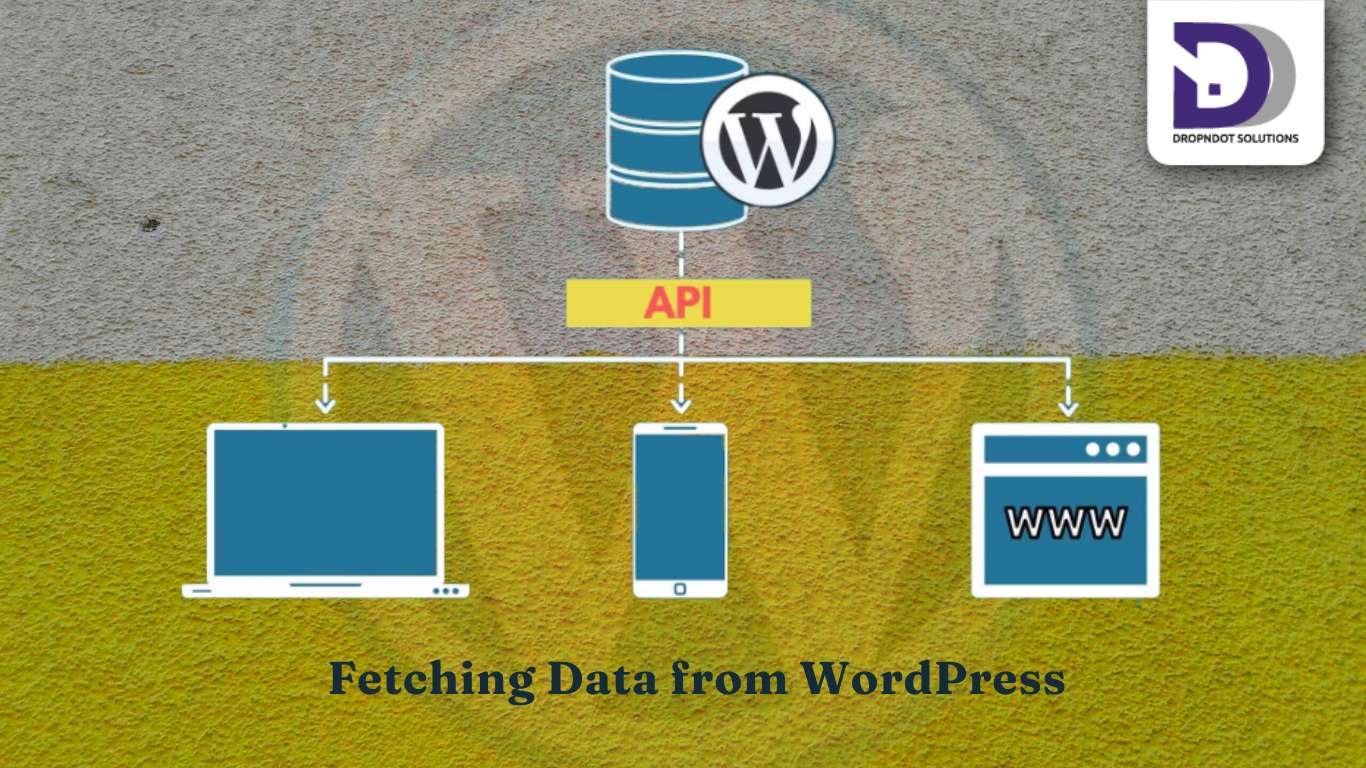
Mastering Headless WordPress Integration with Next.js delves into the intricate process of seamlessly connecting WordPress, a powerful content management system, with Next.js, a React framework for building web applications. Within this comprehensive guide, Fetching Data from WordPress: Utilizing the REST API and GraphQL assumes paramount importance.
In modern web development, accessing data from WordPress efficiently is essential for crafting dynamic and engaging user experiences. Illuminates two primary methods for achieving this: the REST API and GraphQL. The REST API, a stalwart in WordPress development, empowers developers to fetch data in JSON format through a series of structured endpoints. Meanwhile, GraphQL, renowned for its flexibility and efficiency, offers a more tailored approach to data retrieval, allowing clients to specify precisely the information they require.
By exploring these two avenues in-depth, developers gain a nuanced understanding of how to harness WordPress’s vast repository of content and seamlessly integrate it into their Next.js applications. Whether opting for the simplicity of the REST API or the expressive power of GraphQL, mastering data fetching from WordPress is a pivotal step towards unlocking the full potential of headless architecture with Next.js.
Dynamic Content Rendering in Headless WordPress Integration with Next.js
In the journey of “Mastering Headless WordPress Integration with Next.js,” Dynamic Content Rendering with Next.js stands as a cornerstone, embodying the essence of creating interactive and engaging web experiences. With Next.js, developers are empowered to breathe life into their applications by seamlessly rendering dynamic content sourced from headless WordPress.
Dynamic content rendering with Next.js transcends the traditional boundaries of static websites, offering a fluid and responsive user experience. Leveraging Next.js’s server-side rendering (SSR) and incremental static regeneration (ISR) capabilities, developers can fetch data from headless WordPress in real-time and dynamically generate pages on each request or at build time. This ensures that content remains fresh and up-to-date while maintaining blazing-fast performance.
Furthermore, Next.js provides a robust framework for handling client-side rendering (CSR) when instant interactivity is paramount. By prefetching data and seamlessly transitioning between server-rendered and client-rendered content, Next.js empowers developers to strike the perfect balance between performance and interactivity.
With dynamic content rendering in Next.js, developers can craft immersive web experiences that adapt to user interactions and evolve in real time. Whether building a blog, e-commerce platform, or any other content-driven application, mastering this aspect of integration with WordPress unlocks a world of possibilities for creating rich and compelling digital experiences.
Advanced Data Handling and Performance Optimization in Headless WordPress Integration with Next.js
Handling custom post types and taxonomies is a fundamental part of mastering headless WordPress integration with Next.js, as it allows you to structure and manage content more effectively. Creating custom post types in WordPress involves using the register_post_type function to define new content types that go beyond the default posts and pages. This customization lets you tailor your content management system to specific needs, such as portfolios, products, or events, making your content more organized and easily retrievable. Once these custom post types are set up, querying them through the WordPress REST API or WPGraphQL becomes seamless, enabling you to fetch and display this structured data within your Next.js application dynamically. Working with taxonomies and custom fields further enhances this capability. Taxonomies, like categories and tags, can be customized or newly created to better group and filter your custom post types, providing a more intuitive content organization. Custom fields, facilitated by plugins like Advanced Custom Fields (ACF), allow you to attach additional metadata to your posts, such as images, dates, or relationships, which can be queried and rendered in your Next.js components. This combination of custom post types, taxonomies, and custom fields empowers you to create a robust, tailored content management system that feeds rich, structured data to your Next.js front, ensuring a cohesive and efficient content delivery system.
Optimizing performance is another critical aspect of integrating headless WordPress with Next.js, ensuring your application is fast and efficient. Implementing effective caching strategies is key to this optimization. Server-side caching, such as using reverse proxies like Varnish or leveraging WordPress caching plugins, can significantly reduce server load by storing and serving frequently requested data. Client-side caching, including the use of HTTP caching headers and service workers, ensures that once content is fetched by the browser, it can be reused without repeated network requests. Next.js supports Incremental Static Regeneration (ISR), which allows you to cache static pages and update them incrementally as data changes, combining the best of static site generation and dynamic content updates. Lazy loading and code splitting are additional techniques that boost performance. Lazy loading defers the loading of non-critical resources until they are needed, which can reduce initial load times and enhance user experience. Code splitting breaks down your application’s code into smaller chunks that are loaded on-demand, reducing the amount of JavaScript that needs to be loaded and parsed initially. Lastly, using a Content Delivery Network (CDN) for assets is crucial for delivering content quickly to users across the globe. CDNs distribute your static assets across a network of servers, ensuring that content is served from the closest geographical location to the user, reducing latency and improving load times. Platforms like Vercel or Netlify, which have built-in CDN support, can be particularly effective in a headless WordPress and Next.js setup, ensuring fast and reliable content delivery. By integrating these performance optimization techniques, you can ensure your headless WordPress and Next.js application is not only high-performing and scalable but also provides a seamless and responsive user experience.
Authentication and Authorization in Mastering Headless WordPress Integration with Next.js
Setting up authentication in a headless WordPress integration with Next.js is essential for ensuring secure and personalized user interactions. Implementing JWT (JSON Web Token) authentication in WordPress involves installing and configuring plugins like JWT Authentication for WP REST API. This setup allows you to generate tokens upon user login, which can then be used to authenticate subsequent API requests. On the Next.js side, you can create a custom authentication flow that sends login credentials to the WordPress backend, retrieves the JWT, and stores it in secure cookies or local storage. This token is then included in the headers of API requests to authenticate the user, ensuring that only authorized users can access certain endpoints or perform specific actions. By handling authentication this way, you maintain a secure and efficient communication channel between your Next.js frontend and WordPress backend.
Role-Based Access Control (RBAC) further enhances security and content management by defining what users can see and do based on their roles. In WordPress, user roles such as Administrator, Editor, Author, and Subscriber come with predefined permissions, but these can be customized to fit the needs of your application. Managing user roles and permissions involves configuring these roles to control access to different types of content and functionalities. This can be achieved using plugins like User Role Editor, which allows you to create custom roles and fine-tune permissions. On the Next.js frontend, you can implement logic to check the user’s role and restrict access to certain pages or features accordingly. For example, you might restrict access to admin dashboards or certain editorial tools to only users with the appropriate permissions. By integrating role-based access control, you ensure that users only interact with the content and features relevant to their roles, enhancing both security and user experience in your headless WordPress and Next.js application.
Deployment and Maintenance in Headless WordPress Integration with Next.js
Deploying a headless WordPress and Next.js application involves carefully choosing and setting up the right hosting environments for both the backend and front end to ensure optimal performance and reliability. For deploying WordPress, you have the option of using a traditional server or opting for managed hosting solutions. Deploying WordPress on a server, whether it’s a virtual private server (VPS) or a dedicated server, gives you full control over the environment and configuration, which can be ideal for custom setups and specific performance optimizations. Managed hosting providers like WP Engine, Kinsta, or SiteGround offer a more streamlined approach, handling server management, backups, and security, which allows you to focus on development and content management without worrying about infrastructure.
For deploying the Next.js frontend, platforms like Vercel and Netlify are highly recommended due to their seamless integration with the framework and excellent support for static and dynamic site generation. Vercel, the creator of Next.js, offers robust features such as serverless functions, automated deployments from Git repositories, and edge network capabilities, ensuring your application is fast and scalable. Netlify also provides an easy-to-use platform with built-in CI/CD, instant rollbacks, and global CDN distribution, making it a strong choice for hosting your Next.js applications.
Monitoring and maintaining your deployed application is essential to ensure ongoing performance and security. Monitoring tools like New Relic, Datadog, or Google Analytics can track performance metrics, user interactions, and uptime, providing valuable insights into how your application is performing and where improvements might be needed. Regular updates and security patches for both WordPress and Next.js are vital to protect against vulnerabilities and ensure compatibility with the features and improvements. Automated update tools or managed hosting services can help streamline this process, ensuring your application remains secure and up-to-date with minimal manual intervention. By carefully managing deployment, CI/CD, and ongoing maintenance, you can ensure a robust, high-performing headless WordPress and Next.js application that delivers a seamless user experience.
Conclusion of “Mastering Headless WordPress Integration with Next.js”
Integrating headless WordPress with Next.js combines the best of both platforms to create a highly efficient, scalable, and flexible web development solution. Key learnings include setting up a headless WordPress environment, creating and querying custom post types and taxonomies, optimizing performance through various caching strategies, lazy loading, code splitting, and using CDNs, as well as implementing robust authentication and role-based access control. These techniques ensure a secure, high-performing application capable of delivering a seamless user experience. The benefits of this integration are manifold, including the ability to use WordPress’s powerful content management features while leveraging Next.js’s modern front-end capabilities for enhanced performance and user interaction.
Looking ahead, the landscape of headless CMS and front-end frameworks continues to evolve. Emerging trends such as the adoption of Jamstack architecture, the rise of static site generation combined with serverless functions, and advancements in front-end frameworks like React Server Components and Next.js 13’s new features promise to further enhance the development experience and performance capabilities. For those looking to deepen their expertise, resources such as the Next.js documentation, advanced courses on headless CMS architecture, and community forums provide valuable insights and learning opportunities. Exploring these advanced topics and staying abreast of industry trends will ensure you remain at the forefront of web development, ready to implement solutions in your projects.