Category: Plugins

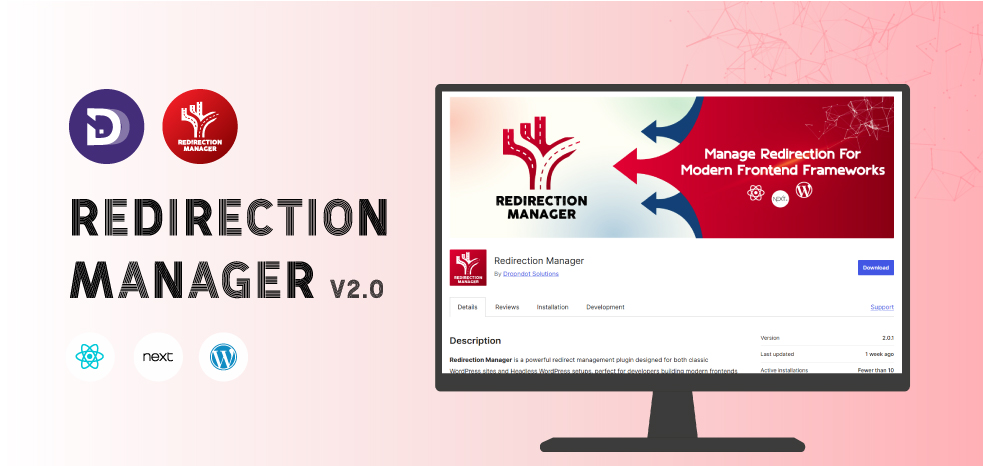
  • Redirection Manager v2.0 Released – Better Redirect Handling

    Redirection Manager v2.0 Released – Better Redirect Handling

    Introduction

    Changing URLs, restructuring content, or migrating to a headless setup can breathe new life into a website; however, without proper redirect control, it may also spell disaster for search engine optimization and user experience. That’s where Redirection Manager steps in. With the newly launched version 2.0, this plugin provides a powerful, stable, and headless-ready solution for managing URL redirects in WordPress environments, ensuring that both customers and search engines consistently land on the correct web page.

    Whether you’re updating old links, reorganizing content, or building a modern-day frontend with frameworks like Next.js or Nuxt.js, Redirection Manager v2.0 offers you dependable control over redirect conduct, stopping broken links, maintaining SEO fairness, and streamlining navigation.

    The Critical Role of Redirect Management in SEO and Website Performance

    Whenever a web page’s URL changes, be it due to site restructuring, content consolidation, or deletion, neglecting right redirects can cause:

    • 404 errors and damaged hyperlinks, which frustrate site visitors and increase bounce rates. These do not best degrade user enjoyment, however may lessen trust for your web page.
    • Loss of SEO fee and fairness in backlinking. Pages that had built up authority via backlinks or content relevance can lose that collected fee in the event that they actually disappear. By implementing a 301 redirect, you bypass most of that “link equity” to the brand new URL, maintaining your search ratings and domain authority.
    • Search engine indexing issues. Without right redirects, search engines like Google and Bing can also deal with moved pages as new ones, causing duplication or a lack of ranking records, or worse, indexing old or deleted content.

    In short: redirect control isn’t always just a technical detail, it’s principal to site health, search engine optimization integrity, and consistent consumer experience.

    What’s New in Redirection Manager v2.0

    what’s new in redirection manager v2.0

    With this update, Redirect Manager takes a significant step forward. Here are the extraordinary improvements:

    • GraphQL-ready redirect for headless frontend
    graphQL ready redirect for headless frontend

    Now, redirect rules stored in the WordPress backend can be retrieved by your headless frontend (Next.js, Nuxt.js, etc.) through GraphQL (using WPGraphQL). This ensures that your custom routing or redirection logic works seamlessly on the front end, ideal for modern headless architectures.

    • Full support for 301 redirects and 404 closures

    Whether you want to set up a permanent redirect (301) or just close an old URL, this version supports all of these use cases, giving you flexibility depending on your URL strategy.

    • Custom database storage for redirect rules

    Instead of being tied to server configuration or .htaccess, redirect rules are stored in a dedicated custom database table. This improves performance, makes administration cleaner, and ensures reliability when dealing with multiple redirects or frequent updates.

    • Lightweight, AJAX-powered admin panel

    The administration interface is responsive and user-friendly: you can add, edit, or delete redirect rules without reloading the page – saving time and avoiding problems.

    • Built-in security: recognition without permission

    All operations in the admin panel are secured with proper no-permission controls, ensuring that only authorized users can change redirect rules, improving the security and integrity of your website.

    These updates make Redirect Manager v2.0 not just a redirection tool, but a robust, headless, clear redirection system for modern WordPress workflows.

    How Redirection Manager v2.0 Works, A Step-by-Step Workflow

    1. Install and activate Redirection Manager on your WordPress backend, make certain that WPGraphQL is installed and active, on the grounds that GraphQL integration relies on it.
    2. Navigate to the plugin’s admin panel. For a redirect: provide the old URL (or path), the new URL (or indicate a 404 closure), and set the redirect type (301).
    3. The plugin stores this rule in a custom database desk, optimized for quick research and dependable overall performance.
    4. For traditional WordPress sites: when a user (or bot) visits the old URL, Redirection Manager triggers the redirect or closure, ensuring correct behavior.
    5. For headless frontends (Next.js, Nuxt.js, and many others): the frontend can query redirect regulations through GraphQL and implement the redirect logic (server-side or client-side), ensuring smooth routing without broken links.
    6. As a result, users land on the desired page, search engines like Google and Bing update their indexes, and SEO value (backlinks, authority, history) is retained.

    This streamlined flow approach redirects management to become a part of your content workflow, not a server-level hack or afterthought.

    SEO & User Experience: Why This Update Matters

    With Redirect Manager v2.0, you not only avoid errors, you actively protect and increase the value of your website.

    Retention of Link Equity and SEO Authority

    As a page accumulates backlinks and domain authority, this value is not lost – it is carried forward. Correctly implemented 301 redirects transfer this authority almost entirely to the new URL, ensuring your site retains search rankings, visibility, and link-driven traffic. 

    Avoid broken links and 404s – better visitor experience

    By redirecting old or outdated URLs, you prevent visitors from landing on broken pages. This improves user trust, reduces bounce rate, and keeps engagement high, all factors that ultimately support better SEO performance.

    Smooth website reorganisation, migration, and redesign

    Whether you’re rebranding your site, consolidating content, or migrating to a headless architecture, Redirection Manager ensures that behind-the-scenes changes never disrupt what users or search engines see. Your SEO value and user paths remain intact.

    Cleaner, manageable redirect strategy

    With a custom database approach, AJAX-powered admin interface, and GraphQL support, you get a maintainable, scalable redirection solution, with no need for manual .htaccess editing or server configuration. Even with multiple redirects or frequent changes, the plugin remains efficient and organized.

    Headless-Friendly – Ready for modern web architecture

    As more developers adopt headless CMS + JS framework interfaces, it becomes important to access redirect rules through GraphQL. Redirect Manager v2.0 fills that niche, combining WordPress as a backend CMS and a modern frontend without compromising SEO or user experience.

    Why Redirection Manager v2.0 is a Smart Investment

    In today’s evolving web landscape, with content migrations, headless architectures, frequent redesigns, and growing user expectations, redirect management is no longer a behind-the-scenes afterthought. It’s a critical part of site maintenance, SEO strategy, and user experience.

    Redirection Manager v2.0 arrives as a timely, comprehensive solution: combining performance, security, flexibility, and ease, all while being headless-frontend ready. Whether you’re a developer, site owner, agency, or content manager, this plugin helps protect your site’s value and ensures smooth transitions whenever URLs change.

    If you’re planning a site migration, redesign, URL restructure, or moving to a headless setup, adopting Redirection Manager v2.0 should be among your first steps. It’s more than a plugin; it’s insurance for your site’s SEO, usability, and long-term health.
  • Content Revalidation Tracker v2.0 – Major Plugin Update

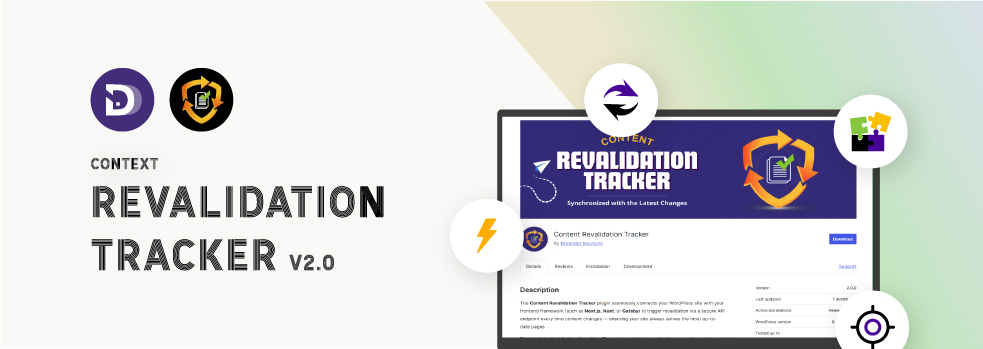
    Content Revalidation Tracker v2.0 – Major Plugin Update

    Content synchronization has become very important for user experience as well as SEO in the present-day web ecosystem. Sites that are built by using headless architectures, static site generators, or hybrid frameworks have a problem that is different from other problems: how to make content the same across several platforms.

    Content Revalidation Tracker is a potent WordPress content revalidation plugin created by Dropndot Solutions to help you out in this situation. It is a tool that connects your WordPress backend with front-end frameworks like Next.js, Nuxt.js, or Gatsby.js, thus allowing your site to be the one that always shows the latest content without any manual updating.

    The plugin, through its version 2.0.0, features various new options for customization, enhanced security features, and gives developers more freedom in revalidation ​‍​‌‍​‍‌workflows.

    Understanding the Need for a WordPress Content Revalidation Plugin

    The​‍​‌‍​‍‌ move of developers to headless WordPress and JAMstack architectures has changed content delivery quite a bit. Among others, Next.js and Gatsby.js are frameworks that create static pages for speed and performance. Unfortunately, this results in a gap for synchronization; the edits made to a post or the update of content in WordPress do not reflect the changes on the live site until revalidation takes place.

    This is the point at which a WordPress content revalidation plugin is indispensable. Content Revalidation Tracker is the component that, upon each content update, ensures a revalidation event is triggered in your frontend system. It ensures the site’s safety and sound from obsolescence automatically, thus drastically reducing the manual builds or refreshes that are still needed to keep the site at high ​‍​‌‍​‍‌speed.

    Introducing Content Revalidation Tracker

    introducing content revalidation tracker

    The​‍​‌‍​‍‌ Content Revalidation Tracker plugin is just the tool you need to coordinate external systems with your WordPress content in a seamless manner. In case you are using any of these – Next.js, Nuxt.js, or Gatsby.js – the plugin in question effortlessly recognizes the changes in posts, pages, users, or taxonomies and goes ahead to send a safe revalidation request to your frontend via a custom API endpoint.

    The product is perfect for developers, content creators, and website owners who are automatons in their work and appreciate precision and productivity. After the installation and configuration, it performs the functions for which it was designed, but it does not have the habit of announcing its presence; thus, it is there in the background, and it is your site that benefits from the most recent data without you having to do any additional ​‍​‌‍​‍‌work.

    Key Features of Content Revalidation Tracker

    The​‍​‌‍​‍‌​‍​‌‍​‍‌ plugin’s most recent version is loaded with sturdy features that keep content synchronization both easy and safe.

    1. Custom Prefix Mapping (New in v2.0.0)

    custom prefix mapping

    With this innovative feature, developers can allocate customized URL prefixes for each post type as well as for the taxonomy. It provides you with minute control of the manner in which your WordPress framework is linked with the frontend routes, which is a must for complex multi-page headless configurations.

    2. Admin Test Tool (New in v2.0.0)

    admin test tool

    Besides this, the release of the Admin Test Tool is a brilliant idea that comes with a built-in feature by which administrators can revalidate manually on the fly from the plugin’s settings panel. It’s an ideal method for developers while they are integrating their testing or debugging configurations.

    3. Log Revalidation History (New in v2.0.0)

    log revalidation history

    One can effectively keep an eye on their revalidation activities via a comprehensive event log. This functionality shows the latest revalidation requests along with the time of the request, the content types, and the paths, thus allowing you to double-check updates, trace API call triggers, and be confident that your external systems are in perfect harmony.

    4. Automatic Revalidation

    In the case of changes to a post, page, user, or taxonomy, the plugin is designed to automatically send a revalidation request. It is the frontend that is thus ensured to always be in a position to offer the newest version of your content, thereby eliminating outdated content.

    5. Granular Configuration

    You decide on which post types and taxonomies the revalidation is to be triggered. It is thus that unnecessary requests are eliminated, and the performance is optimized, while at the same time, you are given full control over the content synchronization process.

    6. Developer Friendly

    Apart from integrating hooks and filters, developers are free to extend or customize the plugin’s behavior. In case you intend to change the API working or create a bridge to other systems, it is sufficiently adaptable to accommodate your work ​‍​‌‍​‍‌​‍​‌‍​‍‌processes.

    Ideal Use Cases

    The​‍​‌‍​‍‌​‍​‌‍​‍‌ Content Revalidation Tracker is a tool that caters to tail-end web development scenarios. Some examples would be:

    • Headless WordPress configurations with Next.js, Gatsby.js, or Nuxt.js.
    • Static or hybrid websites that want to be up-to-date after content changes.
    • Developers who need automated page revalidation to gain SEO and UX advantages.
    • Agencies and enterprises operating large-scale sites where it is essential to have the latest news in real-time.

    Basically, a developer or company that uses a decoupled architecture is able to leverage this WordPress content revalidation ​‍​‌‍​‍‌​‍​‌‍​‍‌plugin.

    How the Plugin Works

    The​‍​‌‍​‍‌​‍​‌‍​‍‌ Content Revalidation Tracker is essentially a three-step operation:

    1. Detect Changes – The plugin keeps track of modifications to posts, pages, or user profiles.
    2. Trigger API Calls – In case of an update, it locates the changed data and sends it to your frontend system via an API endpoint in a secure way.
    3. Revalidate Content – The request from your frontend framework (e.g., Next.js) is aimed at rebuilding or updating the cache of the page that is showing the stale content so that the freshest content is displayed on the site.

    Such an automation is a great tool for developers to keep the site both fast and accurate at the same time, without the need to manually trigger rebuilds or clear ​‍​‌‍​‍‌​‍​‌‍​‍‌caches.

    Setting Up the Plugin

    It​‍​‌‍​‍‌​‍​‌‍​‍‌ is easy to configure Content Revalidation Tracker; even a person with no prior knowledge can do it:

    1. Download and enable the plugin via your WordPress dashboard.
    2. Go to the settings page and put in your API endpoint, secret key, and domain configuration.
    3. If necessary, define prefix mappings for post types or taxonomies.
    4. Ensure your integration by using the Admin Test Tool.
    5. After it is done, you can let the revalidation process run freely and automatically all over your site.

    The rest is taken care of by the plugin — it is programmed to keep your pages up-to-date with the newest content changes without your ​‍​‌‍​‍‌​‍​‌‍​‍‌intervention.

    Why Choose Content Revalidation Tracker?

    WordPress​‍​‌‍​‍‌ has a wide range of synchronization plugins, but only a handful of them use such a level of precision for headless revalidation. Content Revalidation Tracker is a plugin that:

    • It is a purpose-built framework for headless WordPress – It is a framework for modern static.
    • Automation-first design – There is no need to manually refresh the data.
    • Secure by default – The communication between the APIs is fully secure.
    • Developer extensibility – Developers have many options for customization, such as hooks, filters, and customization options.
    • Performance optimized – It is a lightweight and fast plugin without any unnecessary bloat.

    Such a plugin is a great time saver and a booster of the team’s confidence for developers and teams who manage high-performing, data-driven ​‍​‌‍​‍‌sites.

    Security and Performance

    Security​‍​‌‍​‍‌ should be at the forefront of your mind when dealing with API-based systems. To prevent unauthorized requests, the plugin employs secure API key authentication along with domain validation. As a result, only your approved frontend endpoints are allowed to trigger content revalidation.

    Furthermore, on the performance side, the detailed configuration gives the flexibility to administrators to decide which post types will be the source of updates. Consequently, there are fewer unnecessary API calls, and the execution is done at a faster pace, which is perfect for high-traffic sites.

    User Experience and Feedback

    The plugin has been singled out by the earliest users for its simplicity, efficiency, and reliability. The automatic synchronization is error-free as it eliminates human intervention and reduces the time between content changes and their reflection on the live site.

    The interface is user-friendly, and the setup only takes a few minutes. Developers are fond of the testing tool and the secure communication model, while content managers are in love with the “set it and forget it” feature of the ​‍​‌‍​‍‌automation.

    The Strategy Behind the Plugin

    The​‍​‌‍​‍‌ Content Revalidation Tracker strategy revolves around automation, security, and integration. Dropndot Solutions intends to turn it into the essential synchronization tool for all headless WordPress environments.

    Upcoming feature game of the Content Revalidation Tracker includes:

    • AI-powered revalidation suggestion based on content frequency and traffic analytics.
    • Beyond WordPress integration with various CMSs.
    • Performance analytics dashboard to monitor API triggers and revalidation logs.
    • Multi-endpoint management for websites with several frontend instances.
    • Plugin ecosystem integration with caching tools and deployment platforms.

    Dropndot Solutions, by concentrating on innovation and the needs of developers in the real world, intends to turn this plugin into a long-term standard of the headless WordPress ​‍​‌‍​‍‌toolkit.

    Content​‍​‌‍​‍‌ Revalidation Tracker by Dropndot Solutions is definitely more than just a plugin; it can be considered an indispensable tool for contemporary web architecture. As the top WordPress content revalidation plugin for headless and hybrid systems, it guarantees that any update, change, or removal in WordPress is mirrored at the very least within seconds on all your connected platforms.

    By its automated revalidation, secure API communication, customizable prefix mapping, and new admin test tool, version 2.0.0 is, without a doubt, a great step ahead. It is very light, developer-friendly, and made with the future of web synchronization.

    The Content Revalidation Tracker is the tool that would keep your content fresh, synchronized, and SEO-optimized without any manual intervention, be you a solo developer, a creative agency member, or an enterprise-level website ​‍​‌‍​‍‌manager.